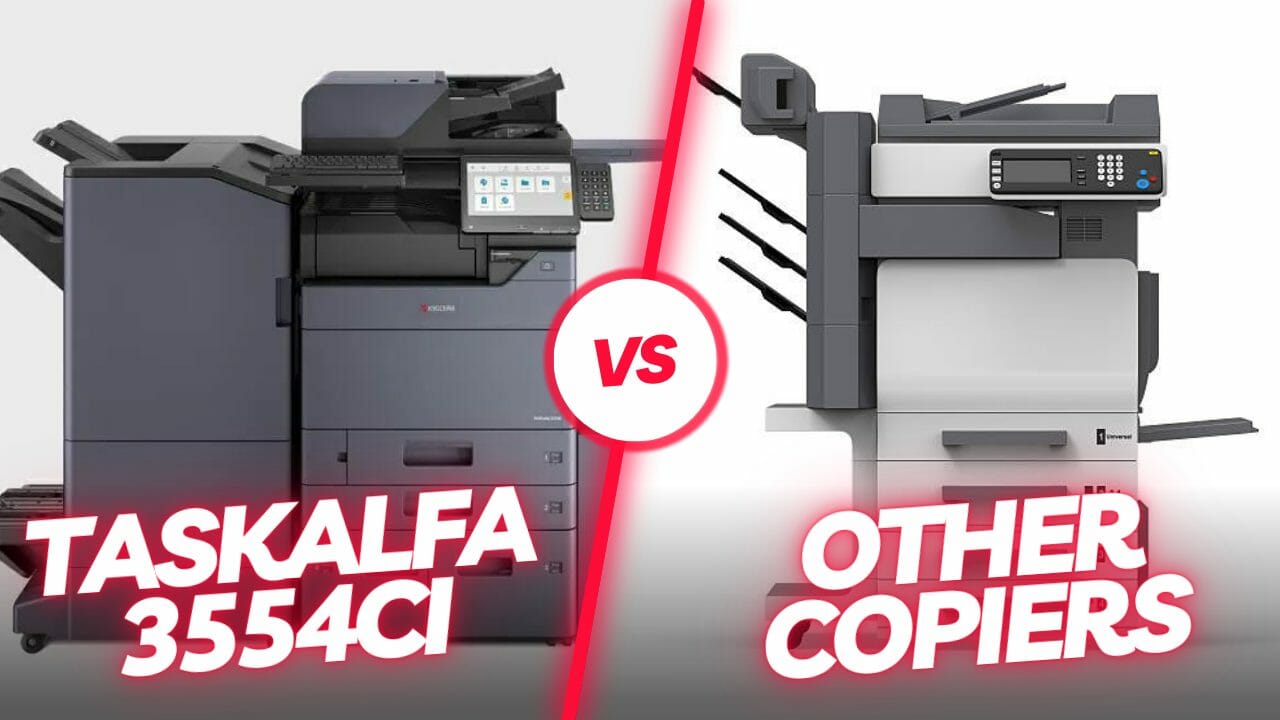
Efficient Kyocera Taskalfa 3554ci Troubleshooting: Unlocking Printer Solutions for Seamless Performance

Video Testimonials
Efficient Kyocera Taskalfa 3554ci Troubleshooting: Unlocking Printer Solutions for Seamless Performance

Introduction

Navigating the complexities of printing issues with the Kyocera Taskalfa 3554ci becomes effortless with our comprehensive troubleshooting guide.

Join us on a journey to uncover swift solutions, ensuring your printing experience remains seamless and trouble free.

Embark on a Seamless Printing Journey

Discover the tailored solutions designed for small and medium sized enterprises utilising the Kyocera Taskalfa 3554ci.

Our Taskalfa 3554ci troubleshooting guide addresses common issues, offering effective solutions that guarantee uninterrupted printing operations.

Embark on a seamless printing journey with the Kyocera Taskalfa 3554ci, using advanced features like Google Cloud Print and scanning to FTP.

Unlock seamless printing—click now for an instant Kyocera Taskalfa 3554ci printer lease quote and resolve common printing hiccups.

Your business deserves the best!

Optimise Your Printing Experience with Cyrus Dickie: Kyocera Troubleshooting Expert at Global Document Solutions

Cyrus Dickie, an industry veteran with over 15 years of experience, is your go to expert for Kyocera troubleshooting and printer solutions.

With Global Document Solutions, expect expert troubleshooting guidance and proactive approaches to ensure seamless printing operations for your business.

Transform your printing experience!

Contact Cyrus Dickie and the Global Document Solutions team for expert Kyocera troubleshooting.

Schedule your personalised consultation now!

Swift Solutions to Common Kyocera Taskalfa 3554ci Printing Hurdles

  • Paper Jamming

    One of the most frustrating issues users encounter is paper jamming, especially when a 2 x 500 sheet is stuck.

    This occurs when a piece of paper disrupts the printing process.

  • Substandard Print Quality due to improper dpi setting

    Poor print quality is another concern that may arise due to low quality ink cartridges or clogged print heads.

    Enhance your printing with high quality ink, authorised service cleaning, and suitable paper types.

    Get a fast online printer lease quote for improved results.

  • Network Connectivity Issues

    Issues with network connectivity can impede communication between the Kyocera Taskalfa 3554ci and your computer.

    For reliable network printing, reach out for a rapid resolution – update drivers, verify settings, and replace defective cables to overcome communication hurdles.

  • Scanner Issues

    The scanner is a crucial component, and errors like poor scan quality or unresponsiveness can be severe.

    Invest in seamless scanning – resolve malfunctions by checking errors, cleaning, and restarting.

    Get a printer lease quote today for uninterrupted scanning.

  • Driver and Software Issue, including problems with the Twain driver

    Outdated drivers or compatibility problems with software can lead to significant printer issues.

    Act now for a rejuvenated printer – update, check compatibility, and reinstall to address outdated drivers or compatibility problems.

    Update the drivers, check for software compatibility, and then reinstall the program as needed.

Resolving Print Spooler Issues in the Kyocera Taskalfa 3554ci: Troubleshooting Tips

Uncover the intricacies of print spooler challenges with our guide, offering steps to restart the service, clear the cache, and utilise the built in printer troubleshooter.

Stay ahead with preventive measures, ensuring a reliable and efficient printing environment.

Understanding Print Spooler Issues

  • Print Queue Backlogs

    Examine the print queue for pending jobs that might be causing delays.

    Cancel unnecessary print jobs to reduce the load on the print spooler.

  • Corrupted Print Spooler Files

    Check for corrupted or damaged spooler files that may impede printing.

    Navigate to the spooler directory and delete any problematic files.

  • Outdated Printer Drivers

    Ensure that printer drivers are up to date to avoid compatibility issues.

    Download and install the latest drivers from the official Kyocera website.

Troubleshooting Steps

  • Restart the Print Spooler Service

    Access the Services menu on your computer.

    Locate the Print Spooler service, stop it, wait a moment, and then restart it.

  • Clear Print Spooler Cache

    Open the Command Prompt with administrator privileges.

    Type ‘net stop spooler’ to stop the spooler service.

    Navigate to the spooler directory, delete all files, and ensure your printer is configured to accept and load paper properly.

    Type ‘net start spooler’ to restart the spooler service.

  • Printer Troubleshooter

    Printer Troubleshooter for your current Windows operating systems – helping to prevent paper jams and ensuring your printer is consistently in sleep mode when not in use.

    Utilise the built in printer troubleshooter on your operating system.

    Follow the prompts to identify and automatically resolve spooler issues.

  • Reinstall Printer Drivers

    Uninstall the existing Kyocera Taskalfa 3554ci printer drivers.

    Download and install the latest drivers compatible with your operating system.

Preventive Measures

  • Regular Software Updates

    Keep the operating system and printer software up to date.

    Enable automatic updates to ensure you have the latest patches.

  • Monitor Print Queue

    Regularly check the print queue for any anomalies or stuck print jobs.

    Clear the queue promptly to avoid spooler congestion.

By following these troubleshooting tips, users can effectively address print spooler issues in the Kyocera Taskalfa 3554ci printer.

Maintaining a proactive approach to software updates and periodic checks on the print queue will contribute to a more reliable and efficient printing environment.

Ready to optimise your printing experience?

Global Document Solutions offers a comprehensive range of printers for hire, featuring flexible leasing options with zero upfront costs, ideal for businesses looking to optimize their office operations efficiently..

Get an Instant Printer Lease Quote Now

Advanced Troubleshooting Techniques

Efficient Kyocera Taskalfa 3554ci Troubleshooting: Unlocking Printer Solutions for Seamless Performance

If you are still encountering issues with your Kyocera Taskalfa 3554ci, like a jammed paper in the paper tray, you may attempt some additional troubleshooting approaches in addition to the remedies indicated above.

Restarting both the printer and the computer

A quick remedy for many issues, restoring normal operation and addressing temporary glitches, could be as simple as adjusting your printer’s network settings.

Firmware Upgrade

Resolve software and hardware issues with timely firmware upgrades.

Check for updates for the Taskalfa 3554ci and install as instructed.

Don’t forget to update the Twain driver too.

Regular Cleaning and Maintenance

Prevent frequent problems with routine upkeep, like checking your network settings or going into sleep mode.

Transform your workplace—request a printer lease quote today for the Kyocera Taskalfa 3554ci.

Enhance your productivity with cutting edge technology, including features such as Google Cloud Print and Sleep Mode.

Recap: Troubleshooting the Kyocera Taskalfa 3554ci Printer

  • Swift solutions to common printing issues include addressing paper jamming, print quality, network connectivity, scanner, and driver/software problems.
  • Print spooler issues can be resolved by managing print queue backlogs, checking for corrupted files, and ensuring up to date printer drivers.
  • Advanced troubleshooting techniques like restarting the printer and computer, firmware upgrades, and regular cleaning can tackle persistent issues.

Request your printer lease quote today to take the next step towards optimal performance.

Operation Guide for the Kyocera Taskalfa 3554ci

Maximise functionality with the comprehensive operation guide, covering twain scanning, private print options, proof and hold functionality, and form overlay capabilities.

Benefits

  • User friendly Guidance
  • Enhanced Security
  • Time saving Features
  • Versatile Functionality

Ready to explore the capabilities of your Kyocera Taskalfa 3554ci printer, including how to scan to USB or set up network settings?

Download the user manual and unlock its full potential today!

Contact us for high quality, trouble free printing.

Still paying for Kyocera repairs?

Every Global Document Solutions lease covers toner, parts, on site service and call outs in one monthly figure, so a fault like this one does not land you a bill.

Plans start at $160 a month ex GST, with nothing to pay up front and no auto renewal.

Get my set monthly quote →

No obligation.

5.0 on Google from 150+ reviews.

Need a technician on site?

We lease and service Kyocera fleets in Brisbane, Melbourne, Perth, the Gold Coast and Sydney.

The Importance of Regular Maintenance

Regular maintenance is key to ensuring the longevity and optimal performance of your Kyocera Taskalfa 3554ci printer.

Schedule routine cleaning of printheads, rollers, and other components to prevent issues before they arise.

Additionally, staying updated with firmware releases and software patches will contribute to a more stable printing environment.

Exploring Advanced Printer Features

Delve into the advanced features of the Kyocera Taskalfa 3554ci to further enhance your printing experience.

From duplex printing for cost saving efficiency to encrypted PDF creation for document security, this printer offers a range of functionalities.

Familiarise yourself with these features through the user manual to unlock the full potential of your device.

Get instant printer lease quote – including Google Cloud Print enabled printers!

User Community and Support

Joining Kyocera’s user community can be a valuable resource for troubleshooting and sharing experiences.

Exchange tips with other users, participate in forums, and stay informed about the latest updates and solutions.

Additionally, leverage Kyocera’s customer support for personalised assistance and guidance.

With these additional insights, you’re equipped not only to troubleshoot issues but also to proactively enhance your overall printing experience with the Kyocera Taskalfa 3554ci.

Remember, a well maintained and optimised printer with correctly adjusted network settings is the key to a productive and efficient workplace.

Have more questions about how to use Google Cloud Print or the search functions on your current Windows operating system? Reach out for a personalised consultation.

Efficient Kyocera Taskalfa 3554ci Troubleshooting: Unlocking Printer Solutions for Seamless Performance
Anthony Torrens
4 weeks ago
I would like to express my thanks for the excellent service I received from the service technician who resolved my jammed printer. His persistence and expertise resulted in the discovery of a tiny piece of torn paper that eluded discovery for nearly 30mins. This caused the printer to constantly trigger a jam error. The cost of the service was well worth the result. Many thanks, Anthony Torrens.
Response from the owner:Hi Anthony, Thank you so much for taking the time to leave such a thoughtful review. We're delighted to hear that our technician was able to track down the tiny piece of paper causing the jam. Sometimes it's the smallest things that create the biggest headaches, and we're pleased their persistence and attention to detail got your printer back up and running. We really appreciate your kind words and your support of our business. If we can ever assist you again, please don't hesitate to get in touch.
Efficient Kyocera Taskalfa 3554ci Troubleshooting: Unlocking Printer Solutions for Seamless Performance
Sara Taylor
2 months ago
We replaced our existing machine (also through GDS) and, as always, the process was seamless. We had our machine up and running with minimal downtime. Thanks Cyrus and team.
Response from the owner:Thanks for the stellar review, Sara.
Efficient Kyocera Taskalfa 3554ci Troubleshooting: Unlocking Printer Solutions for Seamless Performance
Goksel Doganay
2 months ago
Absolutely blown away with the service! Thank you Cyrus.
Response from the owner:Thanks so much for taking time out of your day to leave us a review.
Efficient Kyocera Taskalfa 3554ci Troubleshooting: Unlocking Printer Solutions for Seamless Performance
Mark Wright
3 months ago
Fantastic experience: the team is easy to deal with, with very fast response times and super fast delivery. As a business owner, I am always looking to save cost and time, and they did exactly that for our business.
Response from the owner:Thanks, Mark! We're delighted to hear you're happy with your new office printer solution. Our goal is always to provide fast service, reliable equipment and great value, so it's wonderful to hear we delivered on that promise. Regards Cyrus & The Team
Efficient Kyocera Taskalfa 3554ci Troubleshooting: Unlocking Printer Solutions for Seamless Performance
Quick Tax
4 months ago
Great experience with Global Document Solutions. The team was responsive easy to deal with, and the whole process was smooth from start to finish. Highly recommend!
Response from the owner:Thank you so much for the kind words — we really appreciate it! I’m glad to hear the process felt smooth from start to finish and that the team was easy to deal with. That’s exactly the experience we aim to deliver. Thanks again for your support and recommendation — it means a lot to us. Kind regards, Cyrus & the Global Document Solutions team
Efficient Kyocera Taskalfa 3554ci Troubleshooting: Unlocking Printer Solutions for Seamless Performance
Alana McDermaid
4 months ago
We’ve had a great experience with this team. They’re always prompt, helpful and really easy to deal with. Any issues are sorted quickly and the whole printer leasing process has been seamless. Highly recommend.
Response from the owner:Thank you so much for your kind words Alana — we really appreciate it! I’m glad to hear everything has been running smoothly and that the team has been prompt and easy to deal with. We always aim to make the whole process as seamless as possible and resolve any issues quickly. Thanks again for your support and recommendation — it means a lot to us. Kind regards, Cyrus & the Global Document Solutions team
Efficient Kyocera Taskalfa 3554ci Troubleshooting: Unlocking Printer Solutions for Seamless Performance
Eve Clout
4 months ago
Very happy with our printer and the setup of it. Excellent customer service.
Response from the owner:Thank you for the great feedback Eve — we really appreciate it! I’m glad to hear you’re happy with the printer and the setup, and that the experience has been smooth. Providing excellent service is what we strive for, so it’s great to hear that reflected. Thanks again for your support, and please don’t hesitate to reach out if you need anything. Kind regards, Cyrus & the Global Document Solutions team
Efficient Kyocera Taskalfa 3554ci Troubleshooting: Unlocking Printer Solutions for Seamless Performance
Lisa Israel
4 months ago
It was a great experience. I t was a seemless setup and removal of previous machine. I would recommend Global Document for all your printing requirements.
Response from the owner:Thank you for the fantastic feedback Lisa — we really appreciate it! I’m glad to hear the setup and removal process was seamless and everything went smoothly from start to finish. That’s exactly the experience we aim to deliver. Thanks again for your recommendation and support — it means a lot to us. Kind regards, Cyrus & the Global Document Solutions team
Efficient Kyocera Taskalfa 3554ci Troubleshooting: Unlocking Printer Solutions for Seamless Performance
Max Sharma
5 months ago
​Great experience with Global Document Solutions. The new printer is a fantastic addition to our office, and Cyrus did an incredible job handling everything. His attention to detail and "can-do" attitude made a real difference. Highly recommended!
Response from the owner:Thank you so much for your kind words Max — we really appreciate it! I’m glad to hear the new printer has been a great addition to your office and that the process ran smoothly. It was a pleasure working with you, and I’m always happy to help wherever I can. Thanks again for your support and recommendation — it means a lot to us. Kind regards, Cyrus & the Global Document Solutions team

FAQ: Taskalfa 3554ci Troubleshooting Questions Answered

Get your set monthly price

Tell us your monthly page count and we send back one written figure, from $160 a month ex GST.

Toner, parts, servicing and call outs all sit inside it.

The only thing you ever buy on top is paper.

    We only use your details to prepare and follow up your quote. They are never sold or shared for marketing. Read our privacy policy.

    Obligation free quote

    No lock in contracts

    $0 upfront, one all inclusive monthly payment

    5.0 on Google

    Leasing printers to Australian businesses since 2010

    Q: How can I troubleshoot my Taskalfa 3554ci printer?

    A: To troubleshoot your Taskalfa 3554ci printer, you can refer to the operation guide or the Kyocera Taskalfa 3554ci manual which provides step by step instructions for common issues and solutions.

    Q: How do I skip a blank page when printing on the Taskalfa 3554ci?

    A: To skip a blank page when printing, go to the print settings and enable the “Skip Blank Page” option.

    This will prevent the printer from printing any blank pages.

    Q: How do I scan a document using the Taskalfa 3554ci?

    A: To scan a document using Taskalfa 3554ci, you can use the scan function on the printer’s operation panel or install the appropriate scanning software on your computer.

    Q: Can I fax documents using the Taskalfa 3554ci?

    A: Yes, the Taskalfa 3554ci supports faxing.

    You can send and receive fax documents using this printer.

    Q: How do I install the printer driver for the Taskalfa 3554ci?

    A: To install the printer driver for Taskalfa 3554ci, you can download the driver software from the official Kyocera website and follow the installation instructions provided.

    Q: Is the Taskalfa 3554ci compatible with Windows 10?

    A: Yes, the Taskalfa 3554ci is compatible and “accepts” various print commands like  with a wide range of operating systems.

    The Taskalfa 3554ci can be easily connected to a Windows 10 computer, allowing you to print, scan, and perform other operations like

    Q: What is duplex printing?

    A: Duplex printing is a feature that allows you to print on both sides of the paper automatically.

    Taskalfa 3554ci supports duplex printing and the Quick Copy feature, enabling you to save paper and reduce printing costs.

    Q: Can the Taskalfa 3554ci print documents in A4 size?

    A: Yes, Taskalfa 3554ci supports printing of documents in A4 size loaded in the paper tray, which is a standard paper size commonly used for business documents.

    Q: How do I print a booklet using the Taskalfa 3554ci?

    A: To print a booklet using Taskalfa 3554ci, you can select the booklet printing option in the print settings.

    The printer will automatically arrange the pages in the correct order for booklet printing.

    Q: Can the Taskalfa 3554ci create encrypted PDF files?

    A: Yes, Taskalfa 3554ci supports the creation of encrypted PDF files, which can help to secure sensitive information and control access to the document.

    Q: Can the Taskalfa 3554ci print documents in A3 size?

    A: Yes, Taskalfa 3554ci supports printing of documents in A3 size, which is a larger paper size often used for posters, graphics, and architectural drawings.

    Have more questions?

    Reach out for a personalised consultation.

    Click below to get an instant printer lease quote on Kyocera Taskalfa 3554ci printers, ensuring you have the latest technology at your fingertips.

    Get an Instant Printer Lease Quote Now!

    Conclusion: Your Smooth Printing Journey Starts Here!

    Experience uninterrupted printing with our proven solutions.

    Act now and reach out to Global Document Solutions – your dedicated partner in Kyocera Taskalfa 3554ci troubleshooting.

    Your smooth printing journey, including learning how to scan to USB or scan to FTP, starts here!

    Ready for your own number?

    Tell us your monthly page count and we send back one written figure, from $160 a month ex GST.

    Toner, parts, servicing and call outs all sit inside it.

    The only thing you ever buy on top is paper.

      We only use your details to prepare and follow up your quote. They are never sold or shared for marketing. Read our privacy policy.

      Obligation free quote

      No lock in contracts

      $0 upfront, one all inclusive monthly payment

      5.0 on Google

      Leasing printers to Australian businesses since 2010

      Efficient Kyocera Taskalfa 3554ci Troubleshooting: Unlocking Printer Solutions for Seamless Performance

      Author : Cyrus Dickie

      With over 15 years of experience under his belt, Cyrus Dickie is a true master in the world of printer leasing.

      He specialises in providing customised printing solutions to businesses.

      His operational excellence and steadfast customer service have set groundbreaking industry benchmarks.

      As the visionary leader at Global Document Solutions, Cyrus continues to elevate the standards of customer satisfaction and operational efficiency.

      15 Years of Continuous Service to my business without any issues. Cyrus is a legend!

      Marvin Reck

      Found Cyrus and his team to be very professional, prompt and cost effective. Best in the business. Highly recommended.

      Matthew Dean

      Have been using GDS for the supply and maintenance of our office printers for over 5 years now. Customer service level is consistently high, with an excellent reaction and response rate.

      Marina Denaro

      Why Work with Us?

      With a fully trained and skilled team of experts, our company provides only the best qualities for our clients.

      Besides offering high-end equipment, we also deliver exceptional service in smart financing on software and hardware, remote management and account management.

      Contact Global Document Solutions to get the perfect combination of efficiency and innovation in document printing.

      To buy a Kyocera printer, consult with our friendly agents today.

      Efficient Kyocera Taskalfa 3554ci Troubleshooting: Unlocking Printer Solutions for Seamless Performance
      Anthony Torrens
      4 weeks ago
      I would like to express my thanks for the excellent service I received from the service technician who resolved my jammed printer. His persistence and expertise resulted in the discovery of a tiny piece of torn paper that eluded discovery for nearly 30mins. This caused the printer to constantly trigger a jam error. The cost of the service was well worth the result. Many thanks, Anthony Torrens.
      Response from the owner:Hi Anthony, Thank you so much for taking the time to leave such a thoughtful review. We're delighted to hear that our technician was able to track down the tiny piece of paper causing the jam. Sometimes it's the smallest things that create the biggest headaches, and we're pleased their persistence and attention to detail got your printer back up and running. We really appreciate your kind words and your support of our business. If we can ever assist you again, please don't hesitate to get in touch.
      Efficient Kyocera Taskalfa 3554ci Troubleshooting: Unlocking Printer Solutions for Seamless Performance
      Sara Taylor
      2 months ago
      We replaced our existing machine (also through GDS) and, as always, the process was seamless. We had our machine up and running with minimal downtime. Thanks Cyrus and team.
      Response from the owner:Thanks for the stellar review, Sara.
      Efficient Kyocera Taskalfa 3554ci Troubleshooting: Unlocking Printer Solutions for Seamless Performance
      Goksel Doganay
      2 months ago
      Absolutely blown away with the service! Thank you Cyrus.
      Response from the owner:Thanks so much for taking time out of your day to leave us a review.
      Efficient Kyocera Taskalfa 3554ci Troubleshooting: Unlocking Printer Solutions for Seamless Performance
      Mark Wright
      3 months ago
      Fantastic experience: the team is easy to deal with, with very fast response times and super fast delivery. As a business owner, I am always looking to save cost and time, and they did exactly that for our business.
      Response from the owner:Thanks, Mark! We're delighted to hear you're happy with your new office printer solution. Our goal is always to provide fast service, reliable equipment and great value, so it's wonderful to hear we delivered on that promise. Regards Cyrus & The Team
      Efficient Kyocera Taskalfa 3554ci Troubleshooting: Unlocking Printer Solutions for Seamless Performance
      Quick Tax
      4 months ago
      Great experience with Global Document Solutions. The team was responsive easy to deal with, and the whole process was smooth from start to finish. Highly recommend!
      Response from the owner:Thank you so much for the kind words — we really appreciate it! I’m glad to hear the process felt smooth from start to finish and that the team was easy to deal with. That’s exactly the experience we aim to deliver. Thanks again for your support and recommendation — it means a lot to us. Kind regards, Cyrus & the Global Document Solutions team
      Efficient Kyocera Taskalfa 3554ci Troubleshooting: Unlocking Printer Solutions for Seamless Performance
      Alana McDermaid
      4 months ago
      We’ve had a great experience with this team. They’re always prompt, helpful and really easy to deal with. Any issues are sorted quickly and the whole printer leasing process has been seamless. Highly recommend.
      Response from the owner:Thank you so much for your kind words Alana — we really appreciate it! I’m glad to hear everything has been running smoothly and that the team has been prompt and easy to deal with. We always aim to make the whole process as seamless as possible and resolve any issues quickly. Thanks again for your support and recommendation — it means a lot to us. Kind regards, Cyrus & the Global Document Solutions team
      Efficient Kyocera Taskalfa 3554ci Troubleshooting: Unlocking Printer Solutions for Seamless Performance
      Eve Clout
      4 months ago
      Very happy with our printer and the setup of it. Excellent customer service.
      Response from the owner:Thank you for the great feedback Eve — we really appreciate it! I’m glad to hear you’re happy with the printer and the setup, and that the experience has been smooth. Providing excellent service is what we strive for, so it’s great to hear that reflected. Thanks again for your support, and please don’t hesitate to reach out if you need anything. Kind regards, Cyrus & the Global Document Solutions team
      Efficient Kyocera Taskalfa 3554ci Troubleshooting: Unlocking Printer Solutions for Seamless Performance
      Lisa Israel
      4 months ago
      It was a great experience. I t was a seemless setup and removal of previous machine. I would recommend Global Document for all your printing requirements.
      Response from the owner:Thank you for the fantastic feedback Lisa — we really appreciate it! I’m glad to hear the setup and removal process was seamless and everything went smoothly from start to finish. That’s exactly the experience we aim to deliver. Thanks again for your recommendation and support — it means a lot to us. Kind regards, Cyrus & the Global Document Solutions team
      Efficient Kyocera Taskalfa 3554ci Troubleshooting: Unlocking Printer Solutions for Seamless Performance
      Max Sharma
      5 months ago
      ​Great experience with Global Document Solutions. The new printer is a fantastic addition to our office, and Cyrus did an incredible job handling everything. His attention to detail and "can-do" attitude made a real difference. Highly recommended!
      Response from the owner:Thank you so much for your kind words Max — we really appreciate it! I’m glad to hear the new printer has been a great addition to your office and that the process ran smoothly. It was a pleasure working with you, and I’m always happy to help wherever I can. Thanks again for your support and recommendation — it means a lot to us. Kind regards, Cyrus & the Global Document Solutions team