 Skip to content
 Authorised Kyocera partner since 2010
150+ five star Google reviews
Cloud printing to your office Kyocera
Phones, tablets and Macs on the office wifi can print without installing a driver. Away from the office, a cloud print service gets the job to the printer for you.
Leases run 36 to 60 months with no automatic renewal.
What is cloud printing?
Your print job travels over the internet to a service that passes it to the office printer, with no print server in a cupboard.
Microsoft runs a cloud printing service called Universal Print.
In Microsoft’s own comparison, it removes print servers the same way OneDrive removed file servers.
In Microsoft’s words, all you need is a printer connected to the internet and a device to print from.
Google Cloud Print shut down on 31 December 2020, so offices now use one of the options below.
Printing from a phone on the office wifi works a little differently.
Most people asking about cloud printing want both, so this guide covers each one.
Sources: Microsoft Learn, discover Universal Print; Canon Australia, Google Cloud Print termination of service.
Three ways a job reaches the office Kyocera
-
Phone or tablet in the office AirPrint, Mopria or Kyocera Mobile Print
-
Laptop at home or on the road A cloud service passes the job to the office
-
Offices on Microsoft 365 Universal Print, with no print server to run
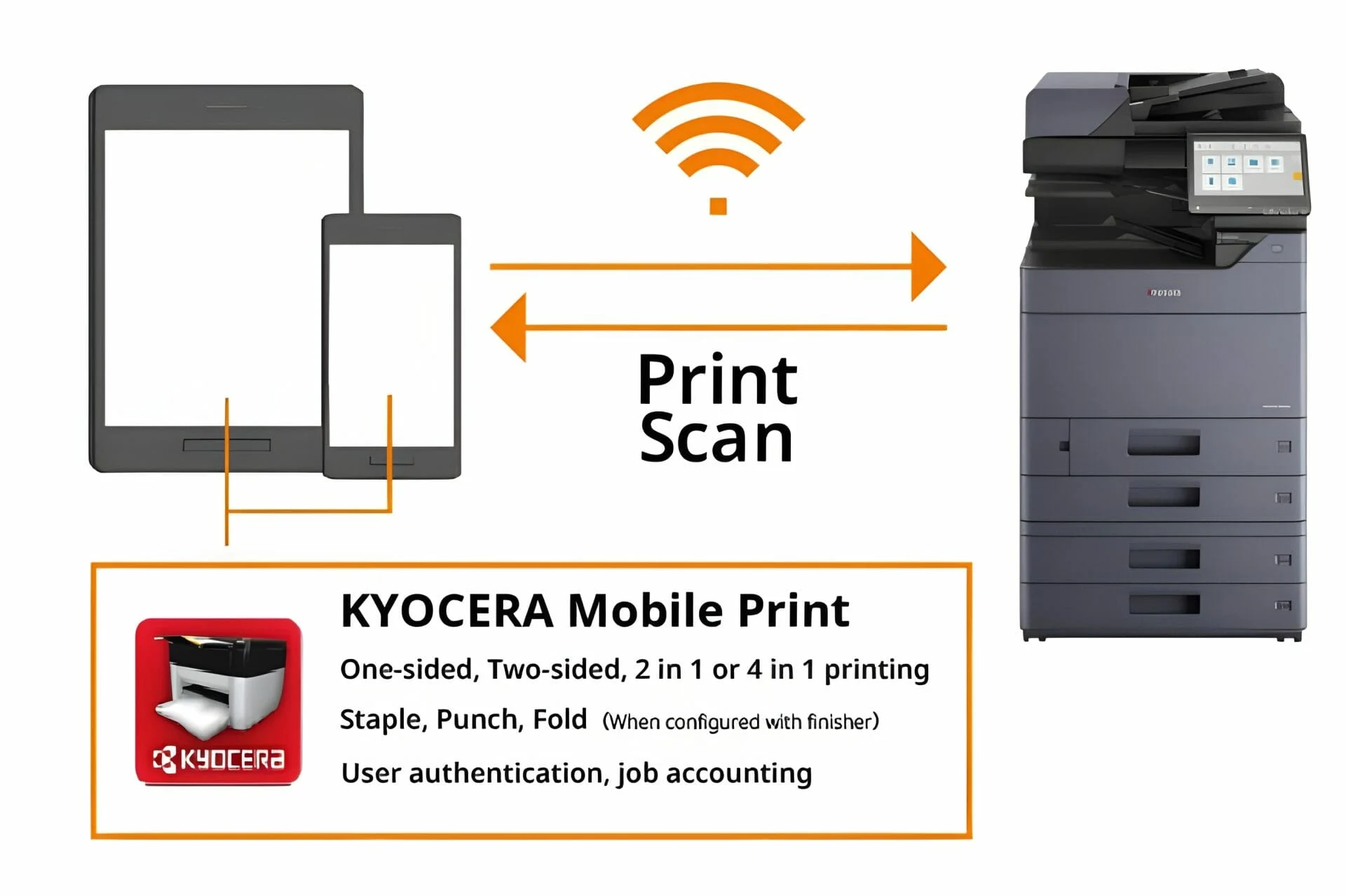
Printing from a phone or tablet in the office
There are three common ways to do it, and none of them asks you to install a printer driver.
A printer driver is the small program a computer usually needs before it can talk to a printer.
More on AirPrint and the Kyocera appShow less
Kyocera says AirPrint gives driverless printing to select Kyocera printers on the same network, from Apple apps such as Safari, Mail and Photos.
The Kyocera Mobile Print app can also scan from the printer straight to the phone, and connects to Dropbox, Microsoft 365 and shared folders.
| Option | Works with | What you need |
|---|---|---|
| AirPrint | iPhone, iPad and Mac | The same wifi network as the printer. Apple says no extra drivers or software are needed. |
| Mopria Print Service | Android phones and tablets | Mopria Print Service from Google Play, which prints to Mopria certified Kyocera machines without extra drivers. |
| Kyocera Mobile Print | Phones and tablets | The free app, which finds compatible Kyocera machines on your wifi, or connects by a direct wifi link where the printer supports it. |
Sources: Apple, about AirPrint; Kyocera, Apple AirPrint; Kyocera, Mopria Print Service; Kyocera Mobile Print on the App Store.

Printing to the office from home or on the road
This is cloud printing in the full sense: the job leaves your laptop over the internet and reaches the office printer.
Offices on Microsoft 365 can use Universal Print, and Kyocera says it supports Universal Print on its current and older multifunction and print devices.
How Kyocera Cloud Print and PaperCut workShow less
Kyocera also runs its own service, Kyocera Cloud Print and Scan, with no server in your office.
Staff send jobs from a desktop app, a Chrome extension or linked cloud storage, then release them at the printer.
Kyocera Australia says it tracks printing and scanning and lets you set limits on print volumes.
Print management software can do the same job.
PaperCut MF on a leased Kyocera lets staff print from home and release the job when they reach the office.
Sources: Kyocera, Microsoft printing support; Kyocera Australia, Cloud Print and Scan; Kyocera Cloud Print and Scan software information; PaperCut MF and NG features.
Keeping cloud printing secure
Printing from anywhere only helps if the pages are not left in the tray where anyone can pick them up.
-
Release at the machine
Make each job wait for its sender to sign in at the Kyocera, so nothing sits in the tray.
-
Keep visitors off the printer’s network
AirPrint and Mopria find printers on the same wifi, so ask whoever runs your network whether guests should share it.
-
Keep a record of who printed what
Cloud print and print management services can log each job by person, which makes unusual printing easy to spot.
-
Check the printer’s own settings
Read our print security questions before you decide how the machine is set up.

Setting up cloud printing on a leased Kyocera
Four quick checks make the setup conversation short.
Not sure which machine suits your office yet?
Our printer quiz narrows it down in a few questions.
-
List what your staff print from: iPhones, Android phones, Windows laptops or a mix.
-
Check whether your office uses Microsoft 365, which points towards Universal Print.
-
Decide whether jobs should wait for a sign in at the machine before they print.
-
Tell us all three when you ask for a quote, so the machine and setup suit how you work.
Questions about cloud printing
What is a cloud printer?
It is a printer that receives jobs through an internet service rather than a cable or a print server in the office.
Microsoft says all you need is a printer connected to the internet and a device to print from.
How do I print to a cloud printer?
Add the office printer in your cloud print service, such as Universal Print, then pick it like any other printer.
If your office uses a release step, sign in at the machine to collect the pages.
Can I print from my phone to the office printer?
Yes.
On the office wifi, iPhones use AirPrint, Android phones use Mopria Print Service, and either can use the free Kyocera Mobile Print app.
Do I need to install a printer driver?
Not for AirPrint, which Apple says needs no extra drivers or software.
Mopria Print Service also prints to certified Kyocera machines without extra drivers.
Can I print to the office printer from home?
Yes, through a cloud service such as Universal Print or Kyocera Cloud Print and Scan, or through print management software such as PaperCut MF.
With a release step, the job waits until you are at the machine, which is how follow me printing works.
Does Google Cloud Print still work?
No. Google ended Google Cloud Print on 31 December 2020.
On a Kyocera today, the usual choices are Microsoft Universal Print, Kyocera Cloud Print and Scan, or print management software such as PaperCut MF.
How do I print a file from Google Drive?
Open the file in Google Drive, choose Print from the File menu or the printer icon, then pick the office printer.
On a phone, open the file, use the More or Share menu and choose Print.
Does a leased Kyocera support cloud printing?
Kyocera says it supports Microsoft Universal Print on current and older devices, and it runs its own cloud print service.
Ask us to confirm the exact model you are considering.
Get an office printer that works with every device
Tell us what your staff print from and roughly how much, and you get a written quote back.
Every lease runs for 36 to 60 months, with no automatic renewal at the end.
GDS works with over 500 Australian businesses and has 150+ five star Google reviews.
Our services come with guarantees that cannot be excluded under the Australian Consumer Law.
Facts on this page were checked against Microsoft, Apple, Kyocera and Canon pages on 9 November 2026.