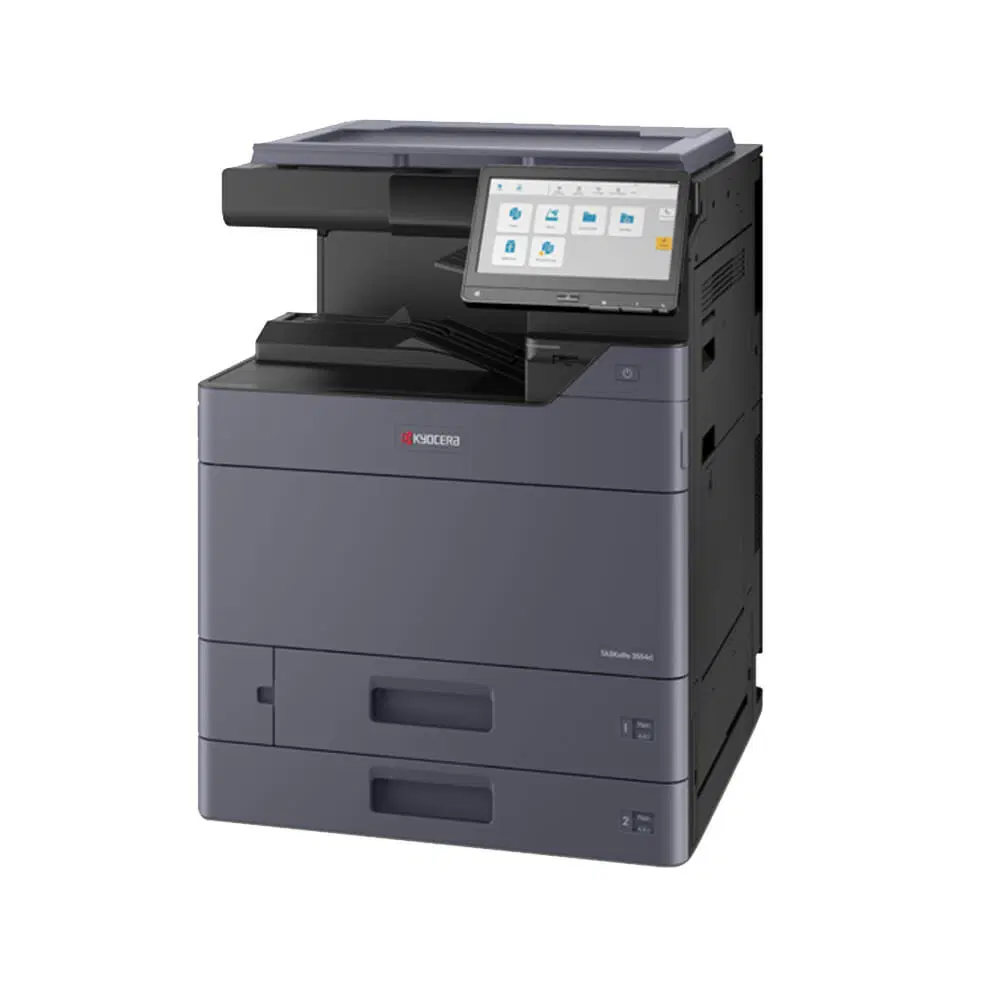
Most offices run a TASKalfa 2554ci as a photocopier with a print driver attached, and rarely touch the four settings that would save them the most time: scan to a folder, private print release, N up copying, and a duplex default.
None of them cost anything.
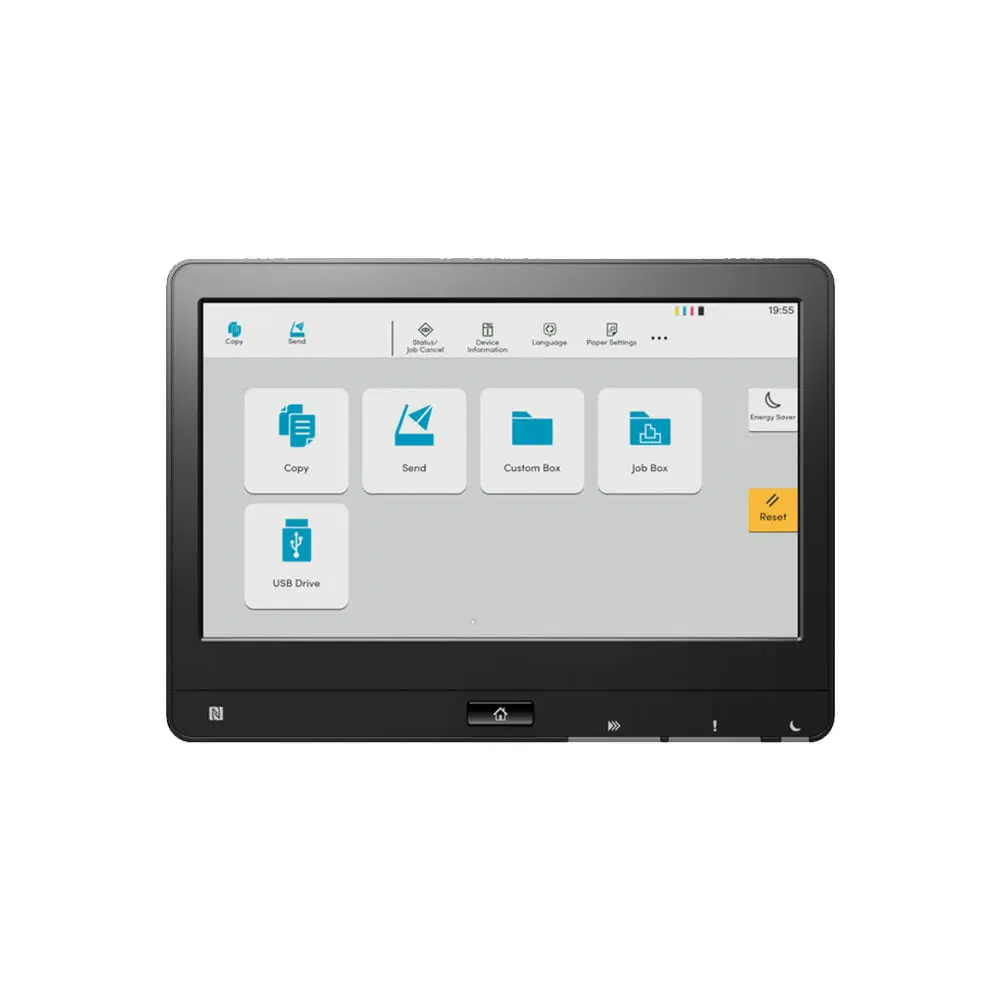
Each one is already on the panel.
Four productivity settings worth turning on
Scan to folder sends a scan straight to a network drive instead of to email, which is the difference between finding a document later and hunting for it.
Private print release holds the job until you tap your code at the machine, so payroll does not sit in the output tray.
N up puts two or four pages on one sheet.
Speed and duplex
It prints up to 25 pages per minute in both monochrome and colour.
Set duplex as the default so jobs print on both sides and reduce paper consumption.
The 2554ci is an A3 multifunction printer that runs at 25 A4 pages a minute, so A3 is a paper size it takes rather than a separate machine you have to buy.
Where the 2554ci fits an office
The Kyocera Taskalfa 2554ci prints, scans and copies, with advanced security and intelligent features.
With a fully trained and skilled team of experts, our team looks after each client from the first quote to the end of the lease.
Besides offering high end equipment, we also deliver exceptional service in smart financing on software and hardware, remote management and account management.
Contact Global Document Solutions to get the perfect combination of efficiency and innovation in document printing.
To buy a Kyocera printer, consult with our friendly agents today.
Cyrus has looked after our business for multiple decades. His service, consistent consideration of our needs is impressive and I’d recommend the company without reservation.
Response from the owner:Thanks so much for taking time out of your day to leave me a review. I do appreciate your kind words. Regards Cyrus
Excellent service from Global Documents Services! Their response is always prompt, and their support with printers and other office needs has been fantastic. We had a few unexpected changes in our offices, and they accommodated us quickly and efficiently. Reliable, professional, and highly recommended!
Response from the owner:Thank you very much for your review Roshni. We appreciate your kind words
I would like to express my thanks for the excellent service I received from the service technician who resolved my jammed printer. His persistence and expertise resulted in the discovery of a tiny piece of torn paper that eluded discovery for nearly 30mins. This caused the printer to constantly trigger a jam error. The cost of the service was well worth the result. Many thanks, Anthony Torrens.
Response from the owner:Hi Anthony,
Thank you so much for taking the time to leave such a thoughtful review.
We're delighted to hear that our technician was able to track down the tiny piece of paper causing the jam. Sometimes it's the smallest things that create the biggest headaches, and we're pleased their persistence and attention to detail got your printer back up and running.
We really appreciate your kind words and your support of our business. If we can ever assist you again, please don't hesitate to get in touch.
We replaced our existing machine (also through GDS) and, as always, the process was seamless. We had our machine up and running with minimal downtime. Thanks Cyrus and team.
Response from the owner:Thanks for the stellar review, Sara.
Fantastic experience: the team is easy to deal with, with very fast response times and super fast delivery. As a business owner, I am always looking to save cost and time, and they did exactly that for our business.
Response from the owner:Thanks, Mark! We're delighted to hear you're happy with your new office printer solution. Our goal is always to provide fast service, reliable equipment and great value, so it's wonderful to hear we delivered on that promise. Regards Cyrus & The Team
Great experience with Global Document Solutions. The team was responsive easy to deal with, and the whole process was smooth from start to finish. Highly recommend!
Response from the owner:Thank you so much for the kind words — we really appreciate it!
I’m glad to hear the process felt smooth from start to finish and that the team was easy to deal with. That’s exactly the experience we aim to deliver.
Thanks again for your support and recommendation — it means a lot to us.
Kind regards,
Cyrus & the Global Document Solutions team
We’ve had a great experience with this team. They’re always prompt, helpful and really easy to deal with. Any issues are sorted quickly and the whole printer leasing process has been seamless. Highly recommend.
Response from the owner:Thank you so much for your kind words Alana — we really appreciate it!
I’m glad to hear everything has been running smoothly and that the team has been prompt and easy to deal with. We always aim to make the whole process as seamless as possible and resolve any issues quickly.
Thanks again for your support and recommendation — it means a lot to us.
Kind regards,
Cyrus & the Global Document Solutions team

 Skip to content