
 Skip to content
Kyocera TASKalfa 2554ci Review, Now Replaced by the MZ2501ci
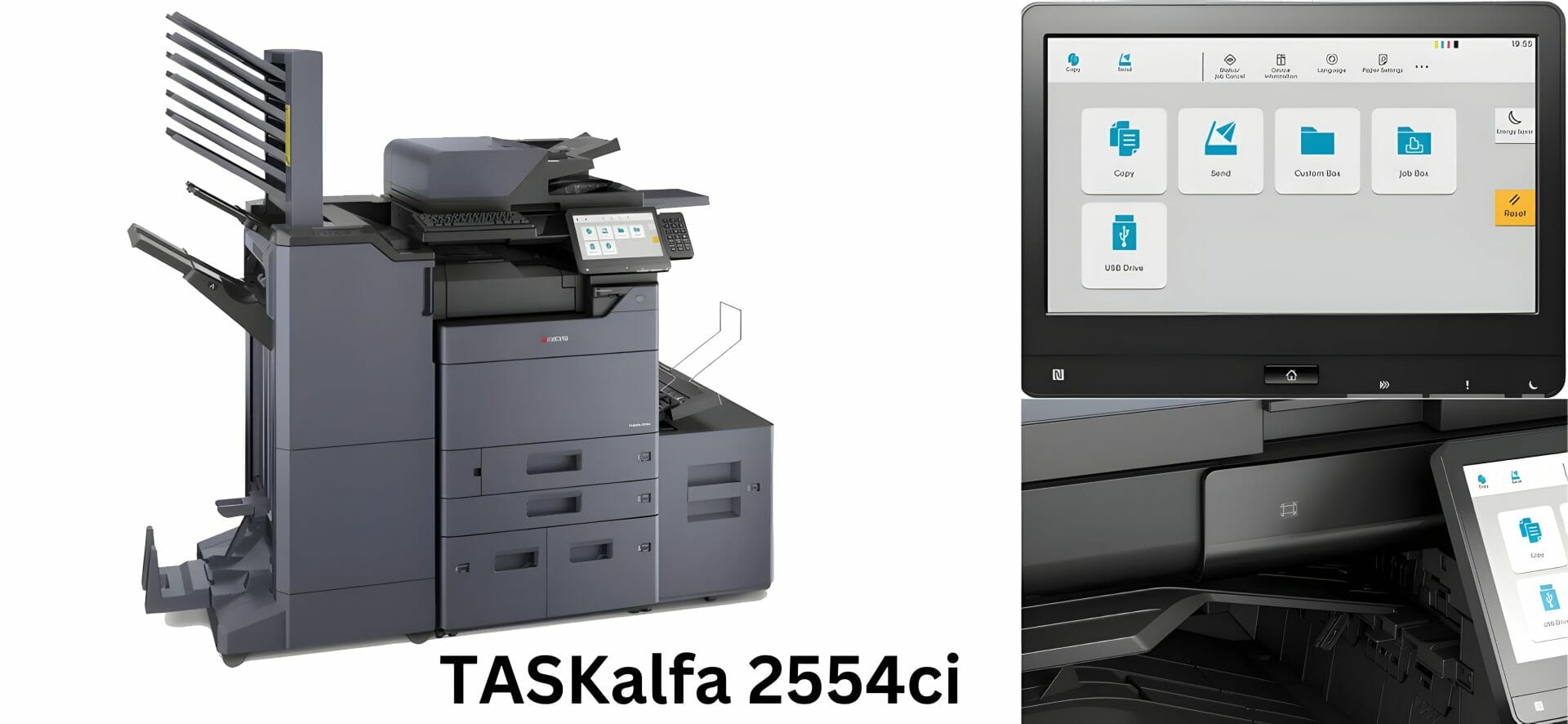
Kyocera TASKalfa 2554ci Review: 25ppm A3 Colour Multifunction
The Kyocera TASKalfa 2554ci prints 25 pages per minute in colour and mono.
It is an A3 machine, so it belongs in the A3 range this model sits in rather than the A4 range.
Ideal for offices of 10 to 30 people with monthly volumes of 3,000 to 15,000 pages.
Lease from $160 a month (plus GST).
- ✓25 pages per minute colour and mono with 5.9 second first print
- ✓Recommended for 3,000 to 15,000 pages per month volume
- ✓Lease from $160 a month (plus GST) including maintenance and toner supplies
See full specifications, pricing and lease plans on the Kyocera TASKalfa 2554ci product and leasing page.
The 2554ci in one line, and who it suits
The Kyocera Taskalfa 2554ci is an A3 colour multifunction device designed to support your company’s document management and workflow.
Read about the history and origins of Kyocera, the maker of this machine.
Sixteen years with this range
Cyrus Dickie has 16 years of expertise in advanced printing solutions, including the Kyocera Taskalfa 2554ci.
Print speed under load
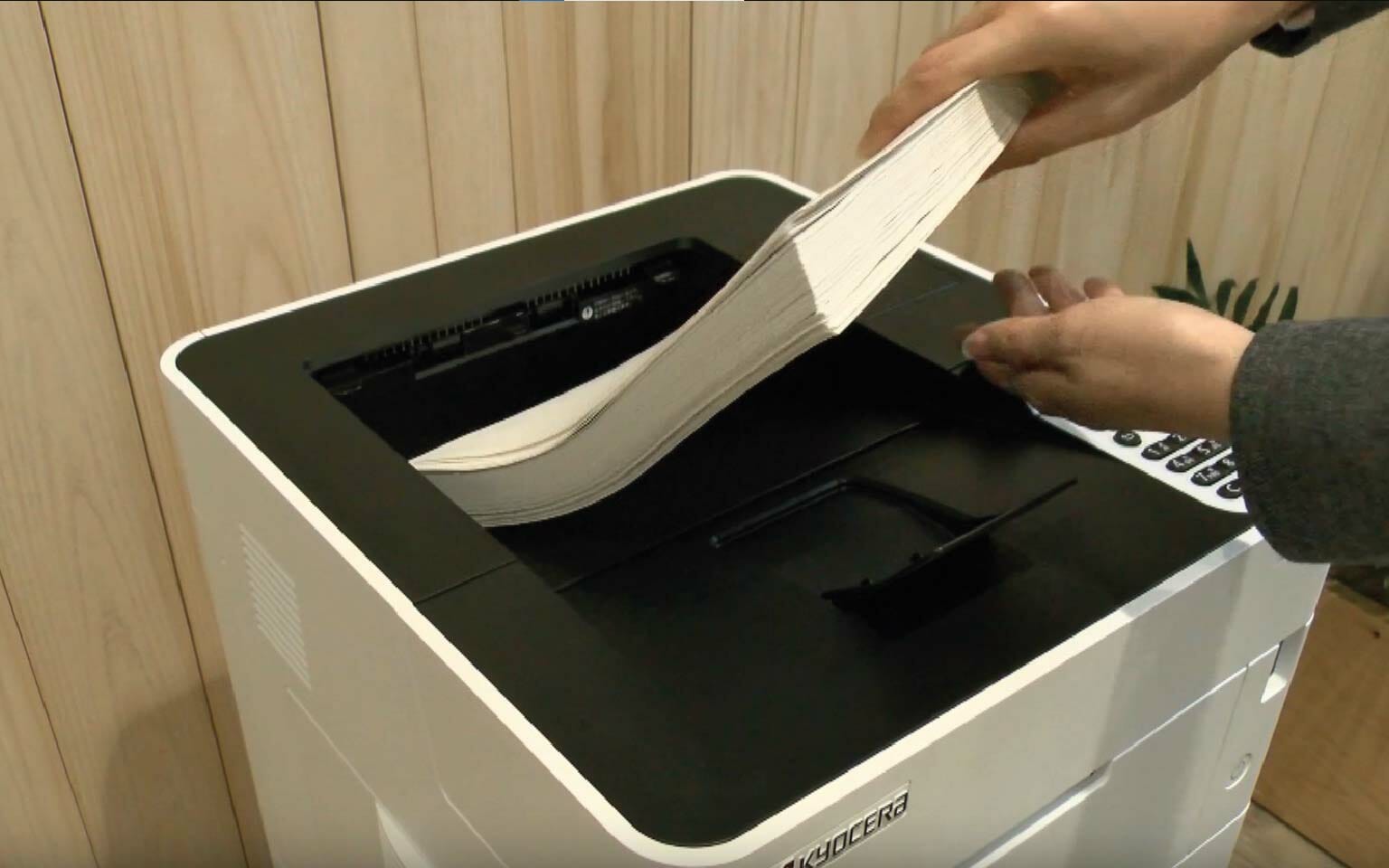
The Taskalfa 2554ci is designed for busy offices and prints up to 25 pages per minute.
The security settings on this model
Protect sensitive data with the security features of the Kyocera 2554ci, which include secure printing and data encryption.
It also covers user authentication, to help prevent theft and regulate access to specific functions.
Printing from a phone or tablet
Submit print jobs directly from smartphones, tablets or laptops with the Kyocera Mobile Print app.
For detailed setup instructions including network configuration, driver installation, and cloud scanning, see our complete integration and setup guide for the 2554ci.
See our guide to mobile printing with Kyocera for setup instructions covering AirPrint, Mopria, and the Kyocera Mobile Print app.
Maximise Efficiency with Taskalfa 2554ci
Print numerous papers without constant reloads using the Taskalfa 2554ci.
With innovative functions like automated duplex printing and substantial paper capacity, reduce paper waste and workload simultaneously.
Use the TASKalfa 2554ci to enhance office productivity and keep everyday print jobs moving.
The touchscreen and the control panel
The Taskalfa 2554ci has an intuitive control panel with a large touchscreen display, so features are easy to reach.
That panel is standard on the 2554ci, which is available as a Kyocera printer for lease on the same managed plan as the rest of the colour range.
Duplex speed, 25 A4 pages a minute
The Kyocera Taskalfa 2554ci series offers 25 pages A4 per minute and 12 pages A3 per minute duplex print speed.
The Kyocera Taskalfa 2554ci’s enhanced duplex printing capabilities reduce paper waste.
Where scans go, and what it works with

It is compatible with various operating systems.
Advanced features like private print, scan to email, scan to FTP, scan to SMB, and scan to Box enhance document security and digitisation.
Printer, copier and scanner in one box
The Kyocera Taskalfa 2554ci combines printer, copier and scanner functions.
The Taskalfa 2554ci mfp supports scanning to various file formats, including PDF direct, searchable PDF, XPS, MS Office files, and more.
See what its replacement costs a month.
What this Kyocera costs to lease
Leasing this machine through Global Document Solutions is one set monthly payment.
It covers toner, parts, on site service and call outs, so within your page allowance paper is the only thing you add.
If you would rather not own it at the end, you can take this same machine on a three to five year rental instead.
Plans start at $160 a month (plus GST), with nothing to pay up front and no auto renewal.
No obligation.
5.0 on Google from 150+ reviews.
Need a technician on site?
The same all inclusive Kyocera plan applies to copier hire in Brisbane, Melbourne printer leasing, photocopier rental in Perth, a printer lease on the Gold Coast and an office printer lease in Sydney.
We also cover Mid North Coast offices in Taree, Kempsey and Port Macquarie.
See your set monthly price for the 2554ci
Tell us your monthly print volume and we will confirm your 2554ci figure from $160 a month (plus GST).
No obligation and no financial documents needed.
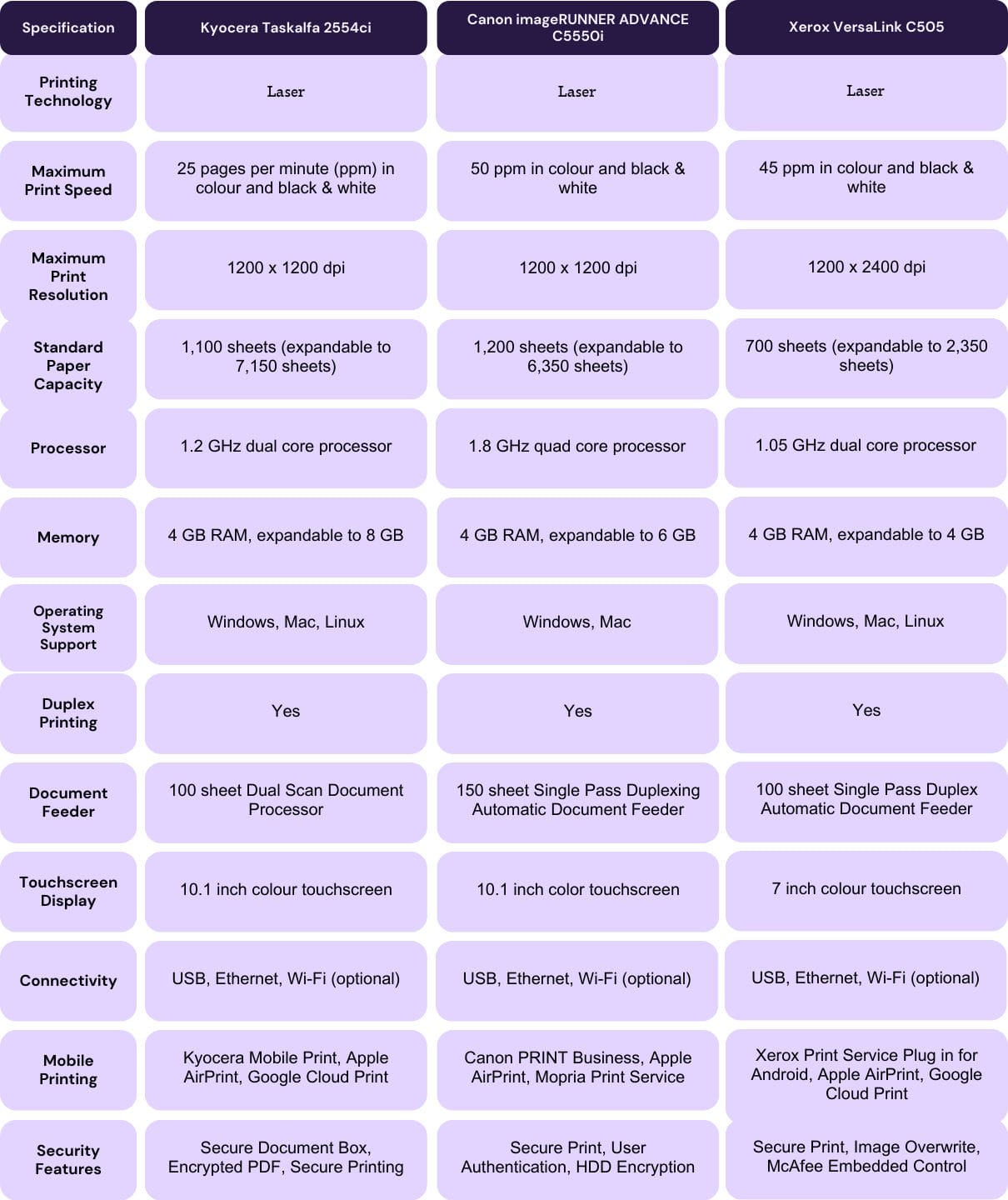
How the 2554ci compares
Our detailed comparison of how Kyocera compares to Canon covers speed, running costs, and reliability side by side.
Read our detailed Kyocera Taskalfa 3554ci Review for details on efficiency, security and performance.
Running cost over a lease term
Kyocera builds these machines around lower running costs and a lower total cost of ownership.
The Kyocera Taskalfa 2554ci has been honoured with BLI Awards for reliability, user friendliness and print quality.
If your 2554ci is displaying errors or jamming frequently, our Kyocera troubleshooting guide covers the most commonly reported problems with step by step fixes.
Paper handling and IPP, the two we get asked
What are the paper handling capabilities of the Kyocera Taskalfa 2554ci?
A: The Kyocera Taskalfa 2554ci comes with a standard universal paper cassette that can hold up to 2 x 500 sheets of paper.
It also has a multipurpose tray that can hold up to 150 sheets of various paper sizes and types.
What is IPP printing?
A: IPP printing stands for Internet Printing Protocol, which is a protocol used for printing over the internet.
The verdict, and what replaced it
The Kyocera Taskalfa 2554ci is a powerful, dependable and secure colour printer.
If your office needs higher throughput, consider an upgrade to the TASKalfa 4054ci which delivers 40 pages per minute.
For departments with heavy print volumes, the higher volume TASKalfa 5054ci handles up to 50 pages per minute.
You can see this model on a monthly lease plan when you are ready.
If you would rather see numbers before you speak to anyone, the monthly lease estimator prices its current replacement, the MZ2501ci, against your own print volume.
If output quality starts to slip, read our guide on troubleshooting print quality issues.
It lists the common causes and the fixes for the 2554ci.
Contact Global Document Solutions for an evaluation of the Kyocera Taskalfa 2554ci in your office.


#1
Our mission is to be the first company organisations think of when they need modern print and document solutions
15 Years of Continuous Service to my business without any issues.
Cyrus is a legend!
Marvin Reck
Found Cyrus and his team to be very professional, prompt and cost effective.
Best in the business.
Highly recommended.
Matthew Dean
Have been using GDS for the supply and maintenance of our office printers for over 5 years now.
Customer service level is consistently high, with an excellent reaction and response rate.
Marina Denaro
Related Post


Why Work with Us?
With a fully trained and skilled team of experts, our team looks after each client from the first quote to the end of the lease.
Besides offering high end equipment, we also deliver exceptional service in smart financing on software and hardware, remote management and account management.
Contact Global Document Solutions to get the perfect combination of efficiency and innovation in document printing.
To buy a Kyocera printer, consult with our friendly agents today.


