 Skip to content
A3 vs A4 printer: which size?
Most offices need an A4 printer, because letters, invoices, reports and forms all come out on A4 paper.
Pick an A3 printer only when you regularly need a bigger sheet, such as plans, posters, wide spreadsheets or folded booklets.
An A3 machine still prints A4 every day, so it covers both sizes.
An A4 machine cannot print A3 at all.
GDS is an authorised Kyocera partner and works with over 500 Australian businesses.
An A3 sheet is two A4 sheets side by side
Cut an A3 page in half across its short side and you get two A4 pages.
That is the whole difference in paper terms.
- A4: 210 x 297 mmThe everyday office page.
- A3: 297 x 420 mmTwice the area of A4. The long side of A4 becomes the short side of A3.
- 141 per centThe copier setting that enlarges an A4 page to fill A3. Going the other way, 71 per cent shrinks A3 onto A4.
- BookletsFold an A3 sheet in half and you have four A4 pages, which is how booklets and newsletters are made.
Sizes from the international paper standard ISO 216, as summarised by the University of Cambridge.
What each size handles well
Look at what came off your printer last month.
The pile tells you the answer, and sorting it takes about a minute: standard pages on one side, anything you shrank or split on the other.

Stay with A4 when
Your pages are standard size
- Letters, quotes and invoices for clients.
- Reports, contracts and forms people sign.
- Scanning paperwork to email or a shared folder.
- Labels and envelopes for daily post.
This is most offices.
See the A4 colour printer leases GDS offers.

Move up to A3 when
Some pages need more room
- Building, landscape or interior plans at a readable scale.
- Large charts and spreadsheets you are tired of shrinking.
- Posters, signs and noticeboard material.
- Folded booklets, programs and price lists made in house.
If that sounds like you, the guide to the best A3 printer for an office matches machines to office size.
Quick size check
Answer four questions about a normal month in your office.
Think about the work you do every week, not the one odd job from last year.
Do you print plans or drawings that must stay at full size?
Do you shrink wide spreadsheets or charts to fit a page?
Do you make posters, signs or folded booklets yourself?
Do clients hand you A3 originals to copy or scan?
Your size shows here
Answer Yes or No above.
Any Yes points to A3, all No points to A4.
What else changes with a bigger printer
Floor space
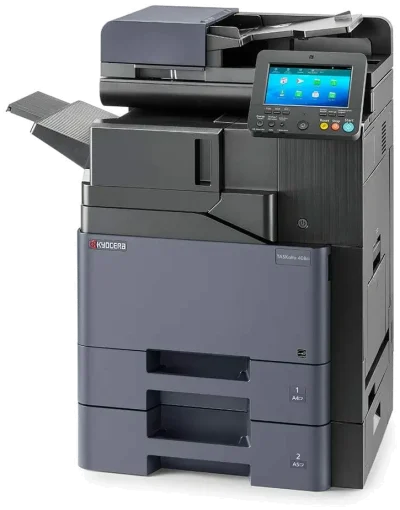
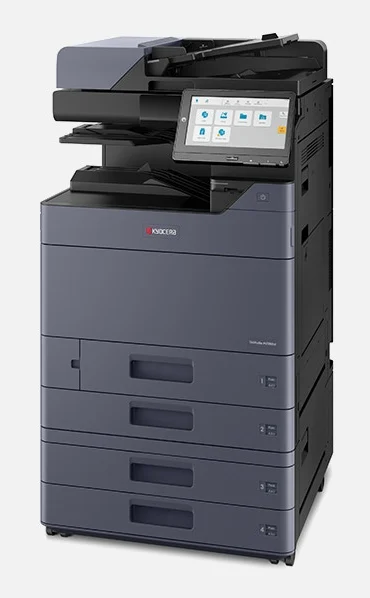
A3 printers are usually floor standing machines, so plan a spot near a power point with room to open the drawers.
Many A4 printers sit on a desk or a cabinet, though bigger A4 models stand on the floor too.
Paper trays
An A3 printer can hold both sizes at once.
With A4 in one drawer and A3 in another, nobody has to swap paper by hand.
Monthly cost
The machine size is only one part of the price your quote is built on.
How many pages you print, and how many of them are colour, matters just as much.
Ask GDS to quote both sizes and compare the two monthly figures side by side.
Speed
Speeds are quoted in A4 pages a minute.
On a full A3 sheet, the Kyocera A3 machines GDS lists run at about half that rate, because each sheet is twice as big.
| Feature | A4 printer | A3 printer |
|---|---|---|
| Biggest page | A4, 210 x 297 mm | A3, 297 x 420 mm |
| Everyday A4 work | Yes | Yes |
| Full size A3 pages | No | Yes |
| Folded booklets with A4 pages | No | Yes |
| Usual spot in the office | A desk, cabinet or floor | Floor standing |
| Kyocera example GDS leases | TASKalfa MA3500ci | TASKalfa MZ2501ci |
Three ways offices pick the wrong size
Paying for A3 that sits idle
One poster a year does not justify a bigger machine.
If A3 work is that rare, a local print shop is often the simpler answer, and an A4 printer covers the rest.
Squinting at shrunken pages
Some teams fit every wide sheet onto A4 for years.
When staff reach for a magnifying glass or print in two halves and tape them together, the page wants to be A3.
Forgetting the scanner
A machine can only scan a page that fits on its glass.
If clients bring in A3 originals, an A4 printer cannot copy them at full size in one pass.
Two good places to start
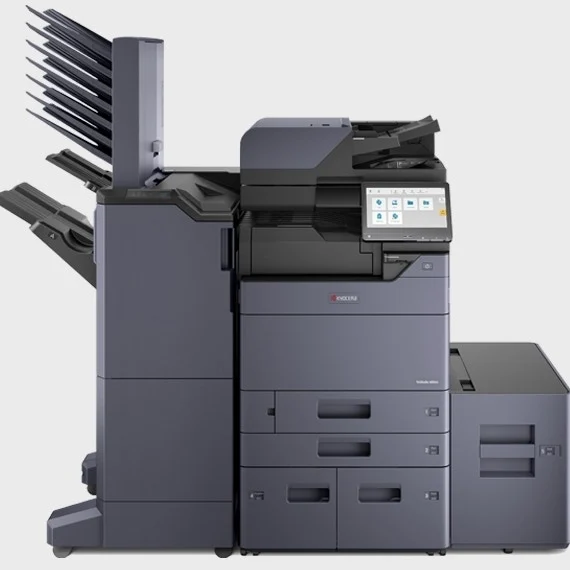
One everyday A4 machine and one everyday A3 machine from the Kyocera range GDS leases.
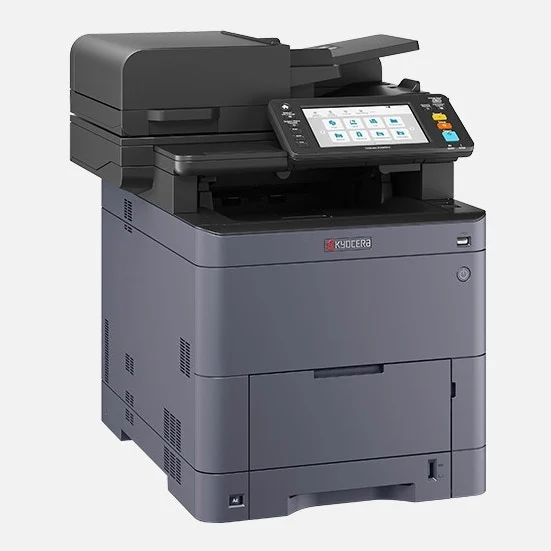
Kyocera TASKalfa MA3500ci
A compact A4 colour machine that prints, copies and scans at up to 35 pages a minute.
Read the TASKalfa MA3500ci lease details.
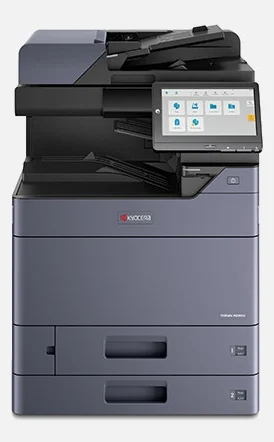
Kyocera TASKalfa MZ2501ci
An everyday A3 colour machine that also runs A4 jobs, at up to 25 pages a minute.
Compare it with the faster models on the A3 printer lease page.
A3 and A4 printer questions
Can an A4 printer print on A3 paper?
No. An A4 printer only takes paper up to A4, so A3 pages have to be shrunk or split across two sheets.
Can an A3 printer print A4?
Yes.
A4 is the everyday size on an A3 machine, and A3 is there when you need it.
Is A3 bigger than A4?
Yes, A3 is twice the size.
A3 measures 297 x 420 mm and A4 measures 210 x 297 mm.
Do A3 printers scan A3 pages?
The Kyocera A3 machines GDS leases scan, copy and print pages up to A3 on the same machine.
What is SRA3 paper?
SRA3 measures 320 x 450 mm, a little larger than A3. Printers use it so a page can be trimmed back to a clean A3 edge.
The Kyocera TASKalfa MZ machines take paper up to SRA3.
Is tabloid the same as A3?
Close, but no. Tabloid, also called ledger, is a US size of 279 x 432 mm, while A3 is 297 x 420 mm.
Australian offices use A3.
Which size suits a small office?
Usually A4. If a small team needs A3 now and then, a smaller A3 machine such as the Kyocera ECOSYS M8124cidn covers both sizes.
Which is better, A3 or A4?
Neither is better on its own.
A4 suits most offices, and A3 is worth it when you print plans, posters, wide spreadsheets or booklets.
How do I print an A4 page on A3 paper?
Open the print settings, set the paper size to A3 and choose fit to paper size, so the page is enlarged.
It needs an A3 printer with A3 paper loaded.
Is 8.5 x 11 paper A4 or Letter?
It is US Letter, which measures 216 x 279 mm.
A4 is a little narrower and longer at 210 x 297 mm, and it is the standard office size in Australia.
How do I find out how much my office prints?
Check the page count on a recent printer invoice, or read the meter on your current machine.
A month of figures is enough for an accurate quote.
Can one office have both sizes?
Yes.
Plenty of offices keep A4 printers near the desks and one A3 machine in a shared spot.
GDS can look after all of them under one arrangement.
Can I print A3 in colour?
Yes.
All the Kyocera A3 machines covered here print colour as well as black, on A3 or A4 sheets.
Does GDS lease large format printers?
No. GDS leases office printers up to A3. For plans larger than A3, a large format printer from a specialist supplier is the better fit.
Get a quote for the right size
Tell us how many pages you print each month and whether any of them need A3. GDS quotes the machine that fits.
Terms of 36 to 60 months, with no auto renewal clause.
Rated five stars in 150+ Google reviews.