Kyocera Business Printers: Power Up Your Office Efficiency!

Video Testimonials
Kyocera Business Printers: Power Up Your Office Efficiency!

Quality and Reliability

Kyocera’s printers are known for their high quality output and reliable performance.

They offer professional grade printing at a fraction of the cost of traditional professional grade printers.

Plus, with their robust build quality, you can rely on them to handle any job without fear of breakdowns or malfunctions.

Kyocera printers are known for their enhanced capabilities and superior quality, making them top choices in the industry.

And with Kyocera’s long life components and durable material feeders, your printer will easily survive everyday use – meaning fewer overall operating costs over time.

Don’t just take our word for it – hear what our satisfied customers have to say about Kyocera printers.

Cost Savings

The cost savings associated with Kyocera printers are unparalleled when compared to other similar models on the market.

For a direct brand comparison, see our breakdown of Kyocera vs competing printer brands including Canon, HP, and Xerox.

The combination of affordability and superior print quality make Kyocera printers a great investment in terms of both short term and long term cost savings.

Plus, with Kyocera’s low energy consumption costs compared to other brands, your business will save even more money in energy bills over time.

In 2018, Kyocera was named the Most Reliable Colour Copier MFP Brand by Keypoint Intelligence – Buyers Lab, a leading source of document imaging industry data and test results.

Kyocera Business Printers: Power Up Your Office Efficiency!

Ease of Use

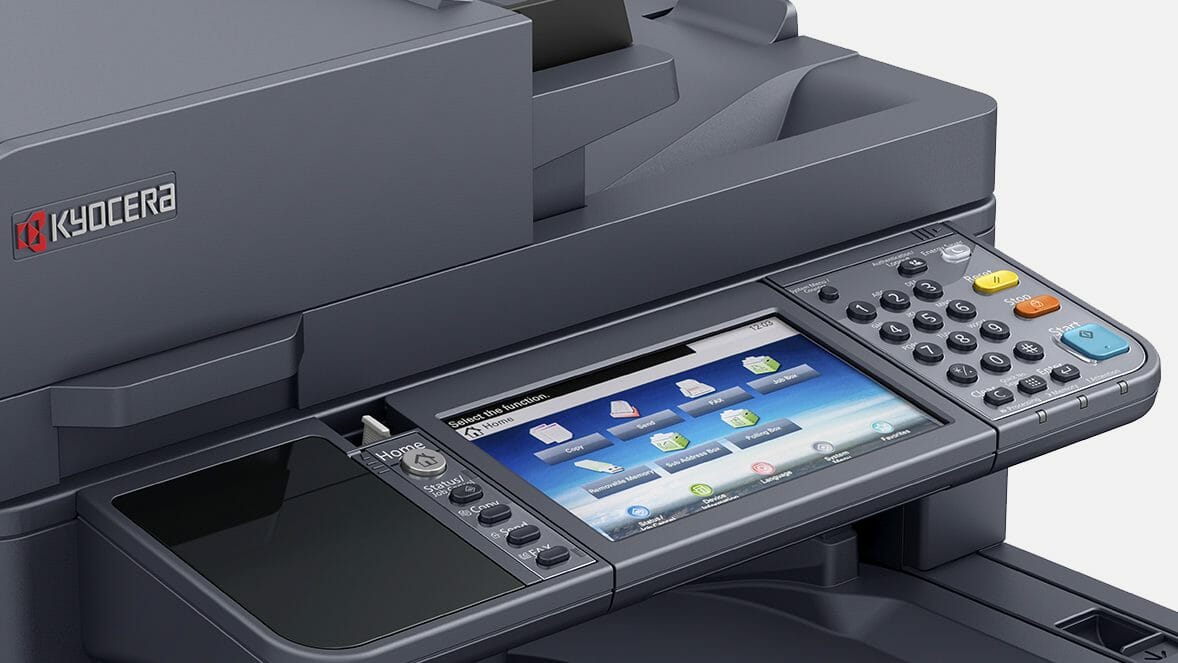
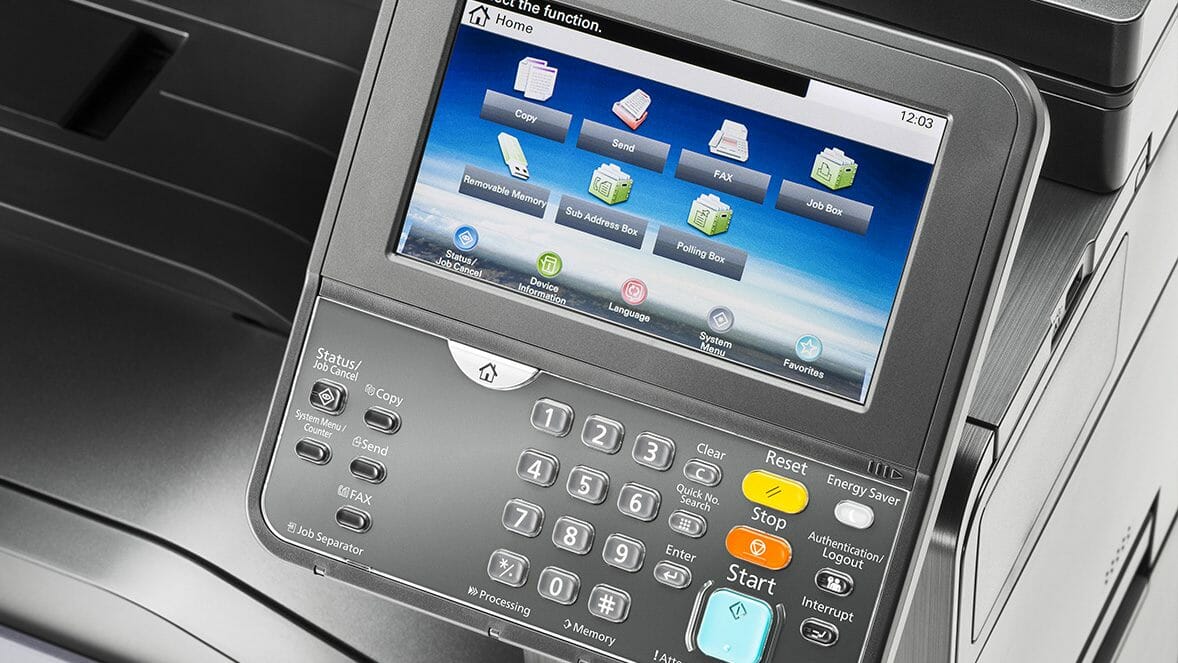
Kyocera printers are known for their user friendly design.

This means that no matter how much technical knowledge you have, you can use them without any problems.

From simple installation processes to intuitive controls and menus that make complex tasks easy to complete — using Kyocera printers really couldn’t be simpler!

For real life stories of how Kyocera printers have simplified the printing experience for countless users, check out our testimonials page.

Compatibility

In addition to being easier to use, the Kyocera printer can work with almost all computer operating systems, unlike many other printers.

This means that it will easily integrate with your existing setup, no matter what type of system you use.

All in all, if you’re looking for a reliable and affordable printing solution that offers great quality prints and cost savings, then look no further than Kyocera!

With their superior build quality and reliability combined with ease of use and compatibility — they are truly the perfect fit for small businesses everywhere.

Kyocera Business Printers: Power Up Your Office Efficiency!

Still working out which machine your office needs?

Tell us your monthly page count and we match the machine to it, then quote one figure covering toner, parts, servicing and call outs.

Plans start at $160 a month ex GST, with nothing to pay up front and no auto renewal.

Get my set monthly quote →

No obligation.

5.0 on Google from 150+ reviews.

Kyocera business printers built for low running costs and long life

Are you looking to upgrade your office’s printing capabilities and boost efficiency?

Look no further than our range of Kyocera printers.

At Global Document Solutions, we understand that a business’s printing needs are unique, and that’s why we offer a diverse selection of Kyocera printers, including the Kyocera M8124CIDN, TASKalfa 3554ci, and 2554ci, just to name a few.

Every model here is available through flexible printer leasing, with toner, parts and servicing bundled into one set monthly payment.

Our award winning mono laser and colour laser printers are designed to serve your business needs and improve productivity.

See how the 2554ci performs in office environments with our detailed review covering speed, print quality, and running costs.

With features like fast printing speeds, high quality output, and user friendly interfaces, you can trust our Kyocera printers to put knowledge to work for your organisation.

Plus, we offer Australia wide delivery and shipping, making it convenient for you to get the Kyocera printing solutions you need, right to your doorstep.

Ready to take your office printing to the next level?

Contact us today to explore our Kyocera printer options and experience the difference for yourself!

Technical Specifications:

Specification

Kyocera M8124CIDN

Kyocera TASKalfa 2554ci

Main Function Copy, Print, Scan, Fax (Optional) Copy, Print, Scan, Fax (Optional)
Writing Method Semiconductor Laser Semiconductor Laser
CPU ARM Cortex-A9 (Dual Core) 1.2GHz ARM A53 1.6GHz
Print Speed (A4) (Mono/Color) 24/24 ppm 25/25 ppm
Scanning Speed (A4) 300dpi Simplex 50/50 ipm 50 ipm
Scanning Speed (A4) 300dpi Duplex 16/16 ipm 16 ipm
Memory Standard 1.5GB (Max. 3GB) Standard 4GB (Max. 4GB)
SSD Capacity SSD 32GB (Optional) / SSD 128GB (Optional) SSD 32GB (Standard) / HDD 320GB or 1TB (Optional)
Warm Up Time 30 seconds or less 18 seconds
Paper Capacity Standard 600 sheets [1 x 500 sheets (Cassette) + 100 sheets (MPT)] 2 x 500 sheets (Cassette) + 150 sheets (MPT) (A4 / Letter size or less equivalent to 80 g/m2)
Maximum Paper Capacity 1,600 sheets (Main Unit + 2 x 500 sheets PF-471 x1 + MPT) 7,150 sheets (Main Unit + 2 x 1,500 sheets PF-7150 x1 + 3,000 sheets PF-7120 x1 + MPT)
Paper Size Cassette Min. A5R – Max. A3 (Legal) Min. A6R – Max. SRA3 (320mm x 450mm); Cassette 1 Min. A6R – Max. A4R (Legal)
MPT Paper Size Min. A5R – Max. A3 (Legal) Min. A6R – Max. SRA3 (320mm x 450mm) & Banner Print (1,220mm x 304.8mm)
Paper Weight Cassette 60 – 256 g/m2 Cassette: 52300g/m2 ; MPT: 52300g/m2 ; Banner paper: 136~163g/m2
Duplex Printing Paper size A5R – A4/Legal; Paper weight: 60 – 120 g/m2 Min. A6R – Max. SRA3 (320mm x 450mm) ; Paper weight: 60~256g/m2
Output Capacity Max. 250 sheets + 30 sheets with standard Job Separator Max. 500 sheets + 100 sheets face down with Inner Job Separator
Control Panel 4.3-inch Color Touch LCD Panel 10.1 inch resistive touch panel

Why Choose Kyocera Colour Laser Printers?

Kyocera Business Printers: Power Up Your Office Efficiency!

When it comes to meeting your business’s printing needs, Kyocera colour laser printers are the way to go.

Here’s why you should consider them for your office:

  • Exceptional Quality: Kyocera printers are known for their outstanding print quality, producing vibrant and sharp documents that leave a lasting impression.
  • Efficiency and Agility: With fast printing speeds and the ability to handle large print volumes, Kyocera colour laser printers can significantly improve your office’s efficiency and agility.
  • Eco Friendly Printing: Kyocera’s Ecosys technology ensures eco friendly printing by reducing waste and energy consumption, making it both environmentally and cost effective.

By choosing Kyocera colour laser printers, you’re making a valuable investment in your office’s printing capabilities.

Whether you need to print reports, marketing materials, or important documents, these printers deliver efficiently and effectively.

Browse our site, search for the ideal device, and put the knowledge to work for your business today.

If you are kitting out a bigger site, see how copier leasing works for larger teams.

Don’t miss out on the additional benefits that come with Kyocera’s range of printers and software.

Buy now and experience the difference!

FAQ

Q: What are Kyocera business printers?

A: Kyocera business printers refers to a range of printers offered by Kyocera, a leading provider of document solutions.

These printers are designed to power up office efficiency and improve productivity.

Q: What types of printers does Kyocera offer?

A: Kyocera offers various types of printers, including laser printers, colour laser printers, and mono laser printers.

They also offer multifunction printers (MFPs) that combine printing, scanning, copying, and faxing functionalities.

Get your set monthly price

Tell us your monthly page count and we send back one written figure, from $160 a month ex GST.

Toner, parts, servicing and call outs all sit inside it.

The only thing you ever buy on top is paper.

    We only use your details to prepare and follow up your quote. They are never sold or shared for marketing. Read our privacy policy.

    Obligation free quote

    No lock in contracts

    $0 upfront, one all inclusive monthly payment

    5.0 on Google

    Leasing printers to Australian businesses since 2010

    Q: What is Kyocera Ecosys?

    A: Kyocera Ecosys is a line of printers that focuses on environmental sustainability and cost saving.

    These printers use durable components that can be easily replaced, reducing waste and improving efficiency.

    Q: Can I find wireless colour laser printers from Kyocera?

    A: Yes, Kyocera offers wireless colour laser printers that allow you to print wirelessly from your computer, smartphone, or tablet.

    This provides flexibility and convenience in the office environment.

    Q: Where can I purchase Kyocera Business Printers (offline or online site)?

    A: Kyocera business printers can be purchased from various authorised retailers, both online and offline.

    Visit the Global Documents Solutions website for more information.

    Q: How can Kyocera Business Printers improve office efficiency?

    A: Kyocera business printers are designed to be fast and productive, allowing you to print high quality documents quickly.

    They also offer advanced features such as duplex printing, which helps save paper and reduce costs.

    Q: Can I find consumables and accessories for Kyocera Business Printers?

    A: Yes, Kyocera provides a wide range of consumables and accessories for their printers, including toner cartridges, drums, and maintenance kits.

    These can be easily purchased by visiting the official Global Document Solutions website.

    Q: Is Kyocera Business Printer Product available in Australia?

    A: Yes, Kyocera business printers are available in Australia.

    In Australia, Global Document Solutions, an authorised retailer and service provider, offers a network of professionals ready to assist you with your printing needs.

    Q: Which Kyocera Business Printer is suitable for my business needs?

    A: The suitable Kyocera business printer for your business depends on your specific requirements, such as the volume of printing, desired features, and budget.

    It is recommended to consult with a Global Document Solutions representative to choose the right printer for your business.

    Q: Does Kyocera provide software solutions for their printers?

    A: Yes, Kyocera provides software solutions that enhance the functionality and performance of their printers.

    These software solutions help streamline document management and improve workflow efficiency.

    Kyocera Printers: Unmatched Reliability, Efficiency, and Sustainability Sets Them Apart from the Competition

    Kyocera printers are highly regarded for their reliability, cost efficiency, and sustainability.

    Here’s a comparison of Kyocera printers with other brands:

    1. Features:
    • Kyocera printers are known for their high performance, reliability, and value.
    • They are equipped with ceramic drums that use less energy and heat.
    • Kyocera’s unique design allows ceramic particles to be added to the toner to clean the copier drums while they’re working.
    • They also have a sophisticated software known as the Hybrid Platform for Advanced Solutions (HyPAS) which helps to improve the workflow digitally and streamline processes.
    1. Cost Savings:
    • Kyocera printers have a lower total cost of ownership compared to many other brands.
    • This is possible due to the design of Kyocera’s products. Kyocera uses a ceramic drum in their printer, which is different and separate from the toner cartridge.
    • Compared to other laser printers which use imaging cartridges that integrate the developer, toner, and drums, Kyocera’s design is a lot more cost efficient.
    1. Reliability:
    • In 2018, Kyocera was named the Most Reliable Color Copier MFP Brand by Keypoint Intelligence – Buyers Lab.
    • Reviewers gave each model a 10 out of 10 and concluded that downtime would rarely be an issue with any of the devices.

    Kyocera stands out in the market due to its unique features, cost savings, and high reliability.

    A Comprehensive Comparison of Printers: Environmental Sustainability, Customer Service, and Software Capabilities

    When comparing Kyocera to competitors, it goes beyond cost and reliability such as:

    • User Interface: Kyocera feels like Android, while Xerox is more like iPhone.
    • Printer Apps: Xerox has a customer-facing App Gallery, Kyocera doesn’t.
    • Print Efficiency: Xerox AltaLink C8130 is faster than Kyocera TASKalfa 2554ci.
    • Printer Size: Xerox machines are generally larger and heavier.
    • Security and Productivity Features: Xerox offers more extensive features.

    Kyocera’s ECOSYS line aims for eco friendliness, using fewer consumables, reducing waste, and making recycling easy.

    Canon aims for resource productivity and environmental preservation through eco conscious management.

    Xerox has several initiatives to reduce its carbon footprint and promote responsible practices.

    HP is committed to net zero carbon emissions and a circular economy.

    Customer Service:

    Canon has mixed reviews with praise for tech support but complaints about warranty claims.

    Xerox gets dissatisfied reviews on SiteJabber, ranking 171st among IT Services sites.

    HP’s customer service has a low rating due to difficulties in finding contact information.

    Software Comparison:

    Kyocera Cloud Print and Scan vs. PaperCut:

    • Both offer secure print job release.
    • PaperCut has multi printer support and cost tracking.
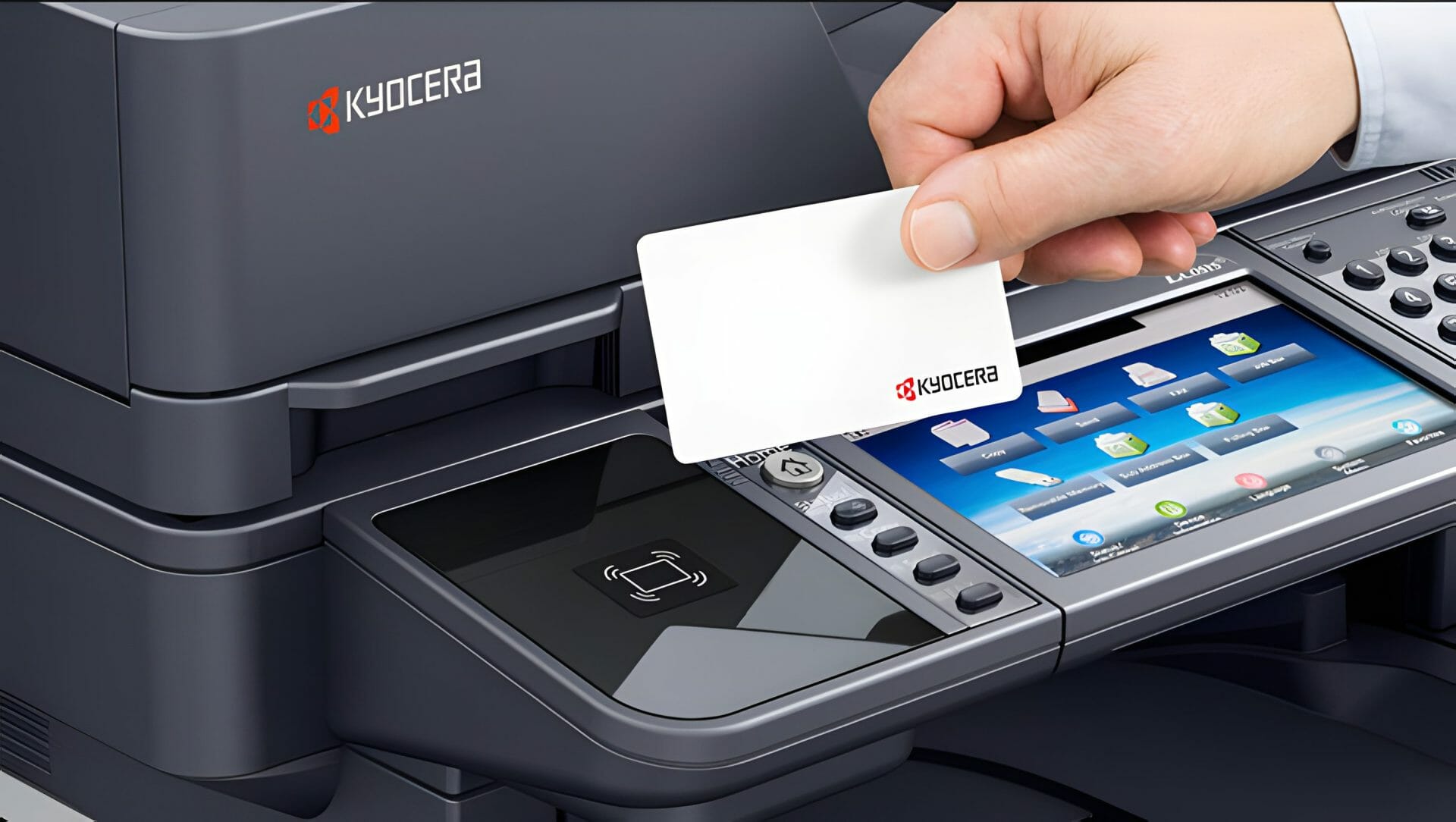
    • Kyocera offers print quotas/limits and multiple authentication methods.
    • Kyocera has 45 features, while PaperCut has 26, with 26 common between them.

    Kyocera’s software includes remote interaction, easy installation, and Pinpoint Scan for offsite access.

    They also offer ink customisation.

    HP’s HP Smart Advance enhances scanning, file naming, and remote printing, requiring an HP Smart account and eligible printer.

    Xerox’s Print and Scan Experience App simplifies scanning and printing, with advanced features when integrated with their Workflow Central Platform.

    In summary, Kyocera, Canon, Xerox, and HP each have unique strengths and weaknesses in terms of sustainability, customer service, and software capabilities.

    Conclusion

    Kyocera’s printers provide an ideal printing solution for small businesses.

    They are reliable, user-friendly and packed with features such as advanced security, eco-friendly options and mobile print capabilities that make them the perfect fit.

    Additionally, Kyocera provides added flexibility thanks to their wide range of paper handling options, allowing you to customise your prints depending on your needs.

    With Kyocera, small businesses can enjoy high quality prints with added peace of mind — providing excellent value for money in the long term.

    Kyocera Corporation, a globally recognised leader in document solutions, has been providing high quality office equipment for businesses for over 64 years.

    The company was established in Kyoto, Japan on April 1, 1959.

    It was founded as a start up venture by Dr. Kazuo Inamori and seven colleagues.

    ———–

    Don’t settle for less for your small business’s printing needs.

    Discover why Kyocera printers are the perfect fit for your company by contacting Global Document Solutions today.

    Find out how our state of the art technology and unparalleled customer service can help you save money and streamline your printing process.

    Don’t wait, contact us now and get the answers you need to keep your business running smoothly.

    Get instant quote today and discover the cost saving benefits of our cutting edge technology and top notch customer support, ensuring your business operates seamlessly.

    About the Author:

    Cyrus Dickie is an industry veteran with over 15 years of expertise in printer leasing.

    He specialises in understanding the intricate details of delivering custom printing solutions to businesses.

    With a focus on operational excellence and unparalleled customer service, Cyrus has raised the standards in the field.

    Feel free to reach out for expert advice and guidance on optimising your printing solutions.

    As the visionary leader guiding Global Document Solutions, Cyrus Dickie has set new benchmarks in the industry for exceptional customer service and operational efficiency.

    More Kyocera resources

    Read our overview of Kyocera printer and scanner capabilities, or browse the full printer range available to lease.

    Ready for your own number?

    Tell us your monthly page count and we send back one written figure, from $160 a month ex GST.

    Toner, parts, servicing and call outs all sit inside it.

    The only thing you ever buy on top is paper.

      We only use your details to prepare and follow up your quote. They are never sold or shared for marketing. Read our privacy policy.

      Obligation free quote

      No lock in contracts

      $0 upfront, one all inclusive monthly payment

      5.0 on Google

      Leasing printers to Australian businesses since 2010

      Kyocera Business Printers: Power Up Your Office Efficiency!

      Author : Cyrus Dickie

      With over 15 years of experience under his belt, Cyrus Dickie is a true master in the world of printer leasing.

      He specialises in providing customised printing solutions to businesses.

      His operational excellence and steadfast customer service have set groundbreaking industry benchmarks.

      As the visionary leader at Global Document Solutions, Cyrus continues to elevate the standards of customer satisfaction and operational efficiency.

      15 Years of Continuous Service to my business without any issues. Cyrus is a legend!

      Marvin Reck

      Found Cyrus and his team to be very professional, prompt and cost effective. Best in the business. Highly recommended.

      Matthew Dean

      Have been using GDS for the supply and maintenance of our office printers for over 5 years now. Customer service level is consistently high, with an excellent reaction and response rate.

      Marina Denaro

      Why Work with Us?

      With a fully trained and skilled team of experts, our company provides only the best qualities for our clients.

      Besides offering high-end equipment, we also deliver exceptional service in smart financing on software and hardware, remote management and account management.

      Contact Global Document Solutions to get the perfect combination of efficiency and innovation in document printing.

      To buy a Kyocera printer, consult with our friendly agents today.

      Kyocera Business Printers: Power Up Your Office Efficiency!
      Anthony Torrens
      4 weeks ago
      I would like to express my thanks for the excellent service I received from the service technician who resolved my jammed printer. His persistence and expertise resulted in the discovery of a tiny piece of torn paper that eluded discovery for nearly 30mins. This caused the printer to constantly trigger a jam error. The cost of the service was well worth the result. Many thanks, Anthony Torrens.
      Response from the owner:Hi Anthony, Thank you so much for taking the time to leave such a thoughtful review. We're delighted to hear that our technician was able to track down the tiny piece of paper causing the jam. Sometimes it's the smallest things that create the biggest headaches, and we're pleased their persistence and attention to detail got your printer back up and running. We really appreciate your kind words and your support of our business. If we can ever assist you again, please don't hesitate to get in touch.
      Kyocera Business Printers: Power Up Your Office Efficiency!
      Sara Taylor
      2 months ago
      We replaced our existing machine (also through GDS) and, as always, the process was seamless. We had our machine up and running with minimal downtime. Thanks Cyrus and team.
      Response from the owner:Thanks for the stellar review, Sara.
      Kyocera Business Printers: Power Up Your Office Efficiency!
      Goksel Doganay
      2 months ago
      Absolutely blown away with the service! Thank you Cyrus.
      Response from the owner:Thanks so much for taking time out of your day to leave us a review.
      Kyocera Business Printers: Power Up Your Office Efficiency!
      Mark Wright
      3 months ago
      Fantastic experience: the team is easy to deal with, with very fast response times and super fast delivery. As a business owner, I am always looking to save cost and time, and they did exactly that for our business.
      Response from the owner:Thanks, Mark! We're delighted to hear you're happy with your new office printer solution. Our goal is always to provide fast service, reliable equipment and great value, so it's wonderful to hear we delivered on that promise. Regards Cyrus & The Team
      Kyocera Business Printers: Power Up Your Office Efficiency!
      Quick Tax
      4 months ago
      Great experience with Global Document Solutions. The team was responsive easy to deal with, and the whole process was smooth from start to finish. Highly recommend!
      Response from the owner:Thank you so much for the kind words — we really appreciate it! I’m glad to hear the process felt smooth from start to finish and that the team was easy to deal with. That’s exactly the experience we aim to deliver. Thanks again for your support and recommendation — it means a lot to us. Kind regards, Cyrus & the Global Document Solutions team
      Kyocera Business Printers: Power Up Your Office Efficiency!
      Alana McDermaid
      4 months ago
      We’ve had a great experience with this team. They’re always prompt, helpful and really easy to deal with. Any issues are sorted quickly and the whole printer leasing process has been seamless. Highly recommend.
      Response from the owner:Thank you so much for your kind words Alana — we really appreciate it! I’m glad to hear everything has been running smoothly and that the team has been prompt and easy to deal with. We always aim to make the whole process as seamless as possible and resolve any issues quickly. Thanks again for your support and recommendation — it means a lot to us. Kind regards, Cyrus & the Global Document Solutions team
      Kyocera Business Printers: Power Up Your Office Efficiency!
      Eve Clout
      4 months ago
      Very happy with our printer and the setup of it. Excellent customer service.
      Response from the owner:Thank you for the great feedback Eve — we really appreciate it! I’m glad to hear you’re happy with the printer and the setup, and that the experience has been smooth. Providing excellent service is what we strive for, so it’s great to hear that reflected. Thanks again for your support, and please don’t hesitate to reach out if you need anything. Kind regards, Cyrus & the Global Document Solutions team
      Kyocera Business Printers: Power Up Your Office Efficiency!
      Lisa Israel
      4 months ago
      It was a great experience. I t was a seemless setup and removal of previous machine. I would recommend Global Document for all your printing requirements.
      Response from the owner:Thank you for the fantastic feedback Lisa — we really appreciate it! I’m glad to hear the setup and removal process was seamless and everything went smoothly from start to finish. That’s exactly the experience we aim to deliver. Thanks again for your recommendation and support — it means a lot to us. Kind regards, Cyrus & the Global Document Solutions team
      Kyocera Business Printers: Power Up Your Office Efficiency!
      Max Sharma
      5 months ago
      ​Great experience with Global Document Solutions. The new printer is a fantastic addition to our office, and Cyrus did an incredible job handling everything. His attention to detail and "can-do" attitude made a real difference. Highly recommended!
      Response from the owner:Thank you so much for your kind words Max — we really appreciate it! I’m glad to hear the new printer has been a great addition to your office and that the process ran smoothly. It was a pleasure working with you, and I’m always happy to help wherever I can. Thanks again for your support and recommendation — it means a lot to us. Kind regards, Cyrus & the Global Document Solutions team