
 Skip to content
Kyocera Printers for Sale or Lease in Australia
Kyocera Printers for Sale Australia: Buy or Lease
Buy Kyocera printers in Australia from $1,299 or lease from $160 a month (plus GST).
Purchase includes Kyocera’s factory warranty, one to three years depending on the model.
Leasing includes maintenance, toner and support for predictable monthly costs.
Compare current printer leasing prices in Australia to see what your monthly investment looks like.
- ✓Purchase prices from $1,299 for A4 ECOSYS multifunction models
- ✓Lease rates from $160 a month (plus GST) including maintenance and genuine toner
- ✓Kyocera factory warranty of one to three years, depending on the model
Kyocera Printers For Sale
2023 Updated List: Top Five Best Kyocera Multifunctioning Printers
Below are the Kyocera printers we sell, and what each one suits.
After leasing and selling these machines since 2010, these are the Kyocera printers we recommend most often on the market, designed to revolutionise your printing experience.
Get ready to elevate your productivity and minimise your costs with high performance Kyocera printers that deliver stunningly crisp, vibrant prints every single time.
Don’t miss out on the opportunity to match your page count to the right machine, and have a look through the range.
Whether you buy a Kyocera printer or lease a printer like the Kyocera Taskalfa 2554ci, know what you are getting.
Print quality shows up on every piece of collateral your brand puts out.
Kyocera may not be the first name that comes to mind when you think of this kind of equipment, but it should be.
The Kyocera Difference
Kyocera has focused on making their hardware serviceability and running costs the most impressive in the industry, e.g when you use the Kyocera Taskalfa 5054ci.
They use ceramic parts for their toner cartridges and drums.
Ceramic parts are more durable than other materials, so they require less servicing.
They add ceramic particles to their toner so it’s constantly cleaning the drum as it prints.
The printers from Kyocera, feature “toner lock,” a brilliant system that locks the door to toner, so it’s not replaced until it’s completely empty.
The door automatically unlocks when it’s time to replace the cartridge.
These safeguards help keep running costs down.
When a toner cartridge is empty, you can toss it into your recycling bin.
Get your set monthly price
Tell us your monthly page count and we send back one written figure, from $160 a month (plus GST).
Toner, parts, servicing and call outs all sit inside it.
The only thing you ever buy on top is paper.
The Top Five Multifunction Kyocera Printers For Sale
The Kyocera TASKalfa 5054ci
The Kyocera TASKalfa 5054ci multifunction printer suits small to medium sized businesses.
It prints up to 55 pages a minute and takes up little room.
That combination suits most offices.
It also supports intuitive user controls with a large colour touchscreen, allowing you to quickly set up jobs and get them done in no time.
Get the most out of your workflow with effortless performance from the Kyocera TASKalfa 5054ci multifunction printer.
- Fast print speeds of up to 55 pages per minute
- Solid yet compact design fits any office environment
- Intuitive user controls with a large colour touchscreen
- Quick and easy setup of jobs to get them done in no time
- Effortless performance to maximise workflow productivity
- Fast print speeds of up to 55 pages per minute for maximum productivity
- Solid yet compact design fits any office environment, taking up minimal desk space
- Intuitive user controls with a large colour touchscreen allows you to easily adjust settings and create new jobs quickly
- Quick and easy setup of jobs to get them done in no time, ensuring that your workflow runs smoothly
- Enjoy effortless performance from the Kyocera TASKalfa 5054ci multifunction printer to maximise workflow productivity
Explore the exceptional energy saving capabilities of the Kyocera TASKalfa 2554ci, designed to enhance sustainability and reduce operational costs across Australia’s office environments.
Australia: 1300 873 460 Get a Free Quote
Kyocera TASkalfa 4054ci A3 Colour Multifunction Laser Printer
The TASKalfa 4054ci suits larger offices and heavy print volumes.
It prints, scans, copies and faxes from the one machine.
The high quality and vibrant colour output sets this printer apart from other brands with similar machines.
Everything You Want to Know
- Double sided printing
- Time to first copy is 5.1 seconds
- Colour output of 40 pages per minute
- B & W output of 40 pages per minute
- Resolution of 4,800dpi equivalent x 1,200dpi (print)
- Multiple paper handling options, up to 7150 sheets
- 4 GB RAM, 64 GB SSD and optional 320 GB HDD storage and memory or 1TB HDD
- Average Monthly Volume of 35,000 pages per month
- Machine Life of 2,100,000 Prints
Australia: 1300 873 460 Get a Free Quote
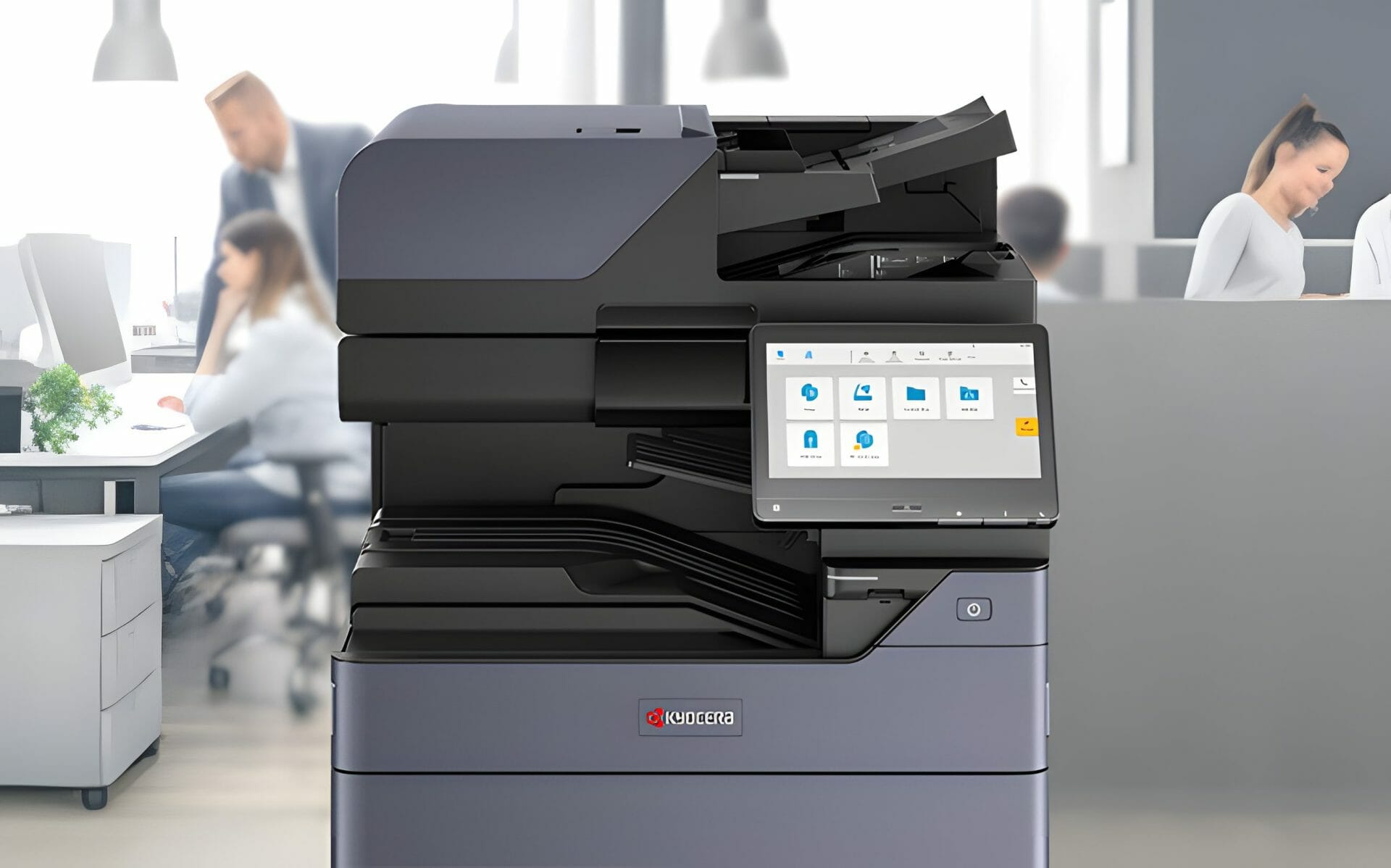
Kyocera TASKalfa 3554ci A3 Colour Multifunction Printer
Designed for small to medium sized businesses or those with moderate printing needs, this machine allows you to print, scan, copy, and fax from one central location.
Kyocera was named Most Reliable Colour Copier MFP Brand by Keypoint Intelligence Buyers Lab.
The TASKalfa 3554ci adds security and intelligent features on top of that record.
This is a flexible, high output device, focused on brilliant and vibrant colour output.
And, it has a minimised environmental impact because of Kyocera’s energy efficient technology integrated into each one of their machines.
Expect sharp colour output from a machine built for steady, high volume use.
Everything You Want to Know
- Double sided printing
- Time to first colour copy is 8.5 seconds
- Colour output of 35 pages per minute
- B & W output of 35 pages per minute
- Standard print resolution of 4800dpi equivalent x 1200dpi (print),
- Multiple paper handling options, up to 7150 sheets
- Average Monthly Volume of 20,000 pages per month
- 4 GB RAM, 32 GB SSD and optional 320 GB HDD storage and memory or 1TB HDD
Australia: 1300 873 460 Get a Free Quote
Kyocera ECOSYS M8124cidn Multifunction Printer
Perfect for small workgroups or small businesses with average printing needs, this economical printer doesn’t skimp on quality and allows users to print, scan, copy, and fax.
It’s compact, reliable, and ECOSYS M8124cidn utilises the powerful technology Kyocera is known for.
The machine produces high quality colour in vibrant hues while smoothly integrating with your existing back end systems.
This machine is designed to give you efficient document processes that are extremely cost effective and offer stunning quality.
You can see on this page the current range of Kyocera printers you can buy including the M8124cidn
The ECOSYS line from Kyocera minimises the environmental impact of their equipment by incorporating recycled materials like bioplastics into their design.
Their toner cartridges are recyclable, and quicker warm up and print times use less energy, extending the life of all their printers.
Everything You Want to Know
- Double sided printing
- Time to first colour copy is 9.8 seconds
- Time to first colour print is 10.2 seconds
- Colour output of 24 pages per minute
- B & W output of 24 pages per minute
- Standard print resolution of 1,200 x 1,200 dpi
- USB functionality
- Up to 7500 pages per month
Australia: 1300 873 460 Get a Free Quote
Kyocera TASKalfa 408ci Multifunction Printer
Perfect for small to medium workgroups who want high quality colour output, this printer offers the best functionality and paper handling diversity.
If you need fast output and scanning speeds, this machine is super impressive.
It is designed for long, uninterrupted print runs.
Of course, Kyocera TASKalfa 408ci features the long life components that keep waste and downtime to a minimum.
What You Want to Know
- Double sided printing
- Time to first colour copy is 6.9 seconds
- Holds up to 3100 sheets of paper
- Resolution of 1,200 × 1,200?dpi print at reduced speed, multibit technology for print quality of up to 9,600 × 600?dpi (print), 600 × 600?dpi (scan/copy)
- Colour output of 40 pages per minute
- B & W output of 40 pages per minute
- Scans up to 170 images per minute
- Memory of 4?GB RAM, 8?GB SSD, 320?GB HDD
Lease Your New Machine
If you’re in the market for Kyocera printers for sale you know how intimidating the proposition of putting all that money down up front is.
You don’t need to tie up any of your cash up front when you lease from Global Document Solutions.
We can help you decide what your exact printing needs are and get you into the right machine for one manageable monthly payment.
You can even get a monthly price in seconds with our instant quote calculator.
That payment also includes servicing of your machine and replacement toner and drums.
We use remote management so if your machine needs attention, it will let us know exactly what the problem is.
And, we’ll be on our way often before you even know there’s an issue.
We’ve built our company on long term relationships with our customers.
We’re in business to help your business thrive.
Contact us here or call us on
Australia: 1300 873 460 Get a Free Quote
Kyocera TASKalfa price and photocopy machine price
The Kyocera TASKalfa price depends on the model you choose, from compact desktop units through to high volume A3 colour devices.
A Kyocera photocopy machine price also reflects print speed, paper handling and finishing options, so the right figure follows the machine that fits your office.
Tell us the model and your monthly volume.
We send back a current purchase price and a lease figure for the same machine, so you can compare the two.
Looking to buy an A3 printer?
Our Kyocera A3 multifunction range is available to buy outright or lease, and suits offices printing larger formats and higher volumes.
Not sure which machine fits?
Our guide to choosing the right machine walks you through it.
Popular Kyocera models
Looking at specific machines?
Compare the Kyocera TASKalfa 308ci and TASKalfa 358ci for A4 colour workgroups, or step up to the TASKalfa 6054ci for high volume A3 printing.
New to buying Kyocera?
Our guide to buying a Kyocera printer in Australia covers the decision step by step.


#1
Our mission is to be the first company organisations think of when they need modern print and document solutions
15 Years of Continuous Service to my business without any issues.
Cyrus is a legend!
Marvin Reck
Found Cyrus and his team to be very professional, prompt and cost effective.
Best in the business.
Highly recommended.
Matthew Dean
Have been using GDS for the supply and maintenance of our office printers for over 5 years now.
Customer service level is consistently high, with an excellent reaction and response rate.
Marina Denaro
Related Post


Why Work with Us?
With a fully trained and skilled team of experts, our team looks after each client from the first quote to the end of the lease.
Besides offering high end equipment, we also deliver exceptional service in smart financing on software and hardware, remote management and account management.
Contact Global Document Solutions to get the perfect combination of efficiency and innovation in document printing.
To buy a Kyocera printer, consult with our friendly agents today.


