Kyocera Taskalfa 2554ci Troubleshooting Print Quality: Effective Printer Tips & Solutions

Video Testimonials
Kyocera Taskalfa 2554ci Troubleshooting Print Quality: Effective Printer Tips & Solutions

Discover effective troubleshooting strategies to optimize the print quality of your Taskalfa 2554ci, ensuring reliable performance and clear output.

Are you facing print quality issues with your Kyocera Taskalfa 2554ci?

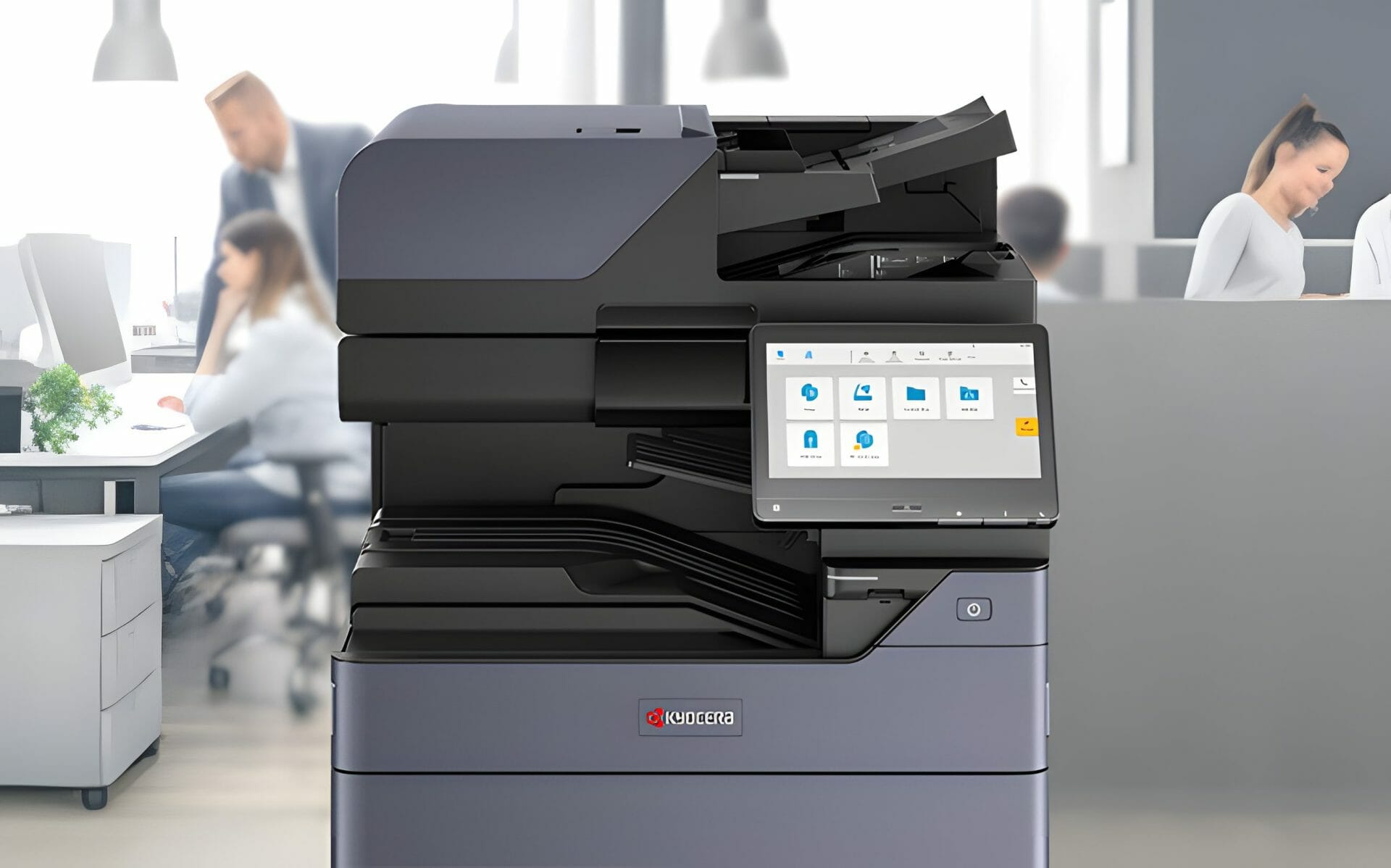
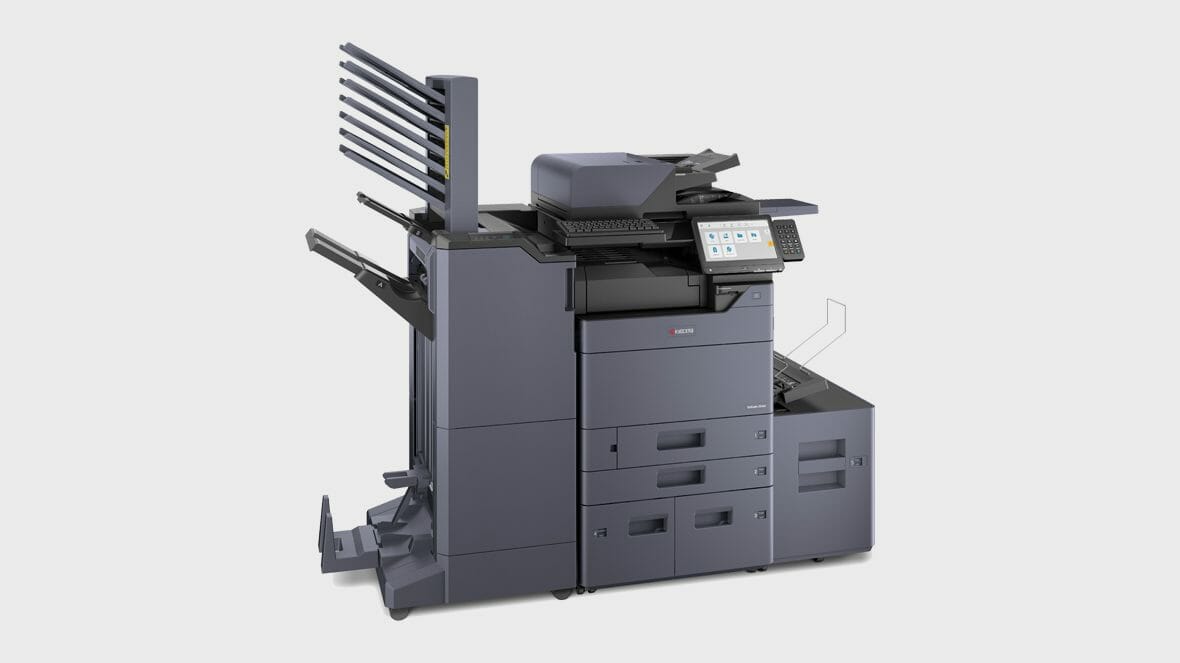
Experience unparalleled reliability and productivity with the Kyocera 2554ci, a versatile multifunction printer designed to streamline your office workflow.

Subpar prints can be frustrating, but fear not – we have effective troubleshooting tips to enhance the performance of your multifunction printer

Discover effective troubleshooting tips to enhance the print quality of your Kyocera 2554ci, ensuring reliable and secure printing performance.

Get an instant printer lease quote and ensure you have the latest printing technology at your fingertips.

In the realm of Kyocera troubleshooting, optimising print quality is paramount.

Where recurring faults keep interrupting your office, an all inclusive maintained printer lease bundles servicing, toner and support into one set monthly cost.

Whether it’s fuzzy images or inconsistent output, addressing these concerns is crucial for a seamless printing experience.

Facing print quality issues with your Kyocera Taskalfa 2554ci?

Contact us for a consultation today and ensure top notch printing technology!

2554ci Troubleshooting Print Quality: A Guide for Kyocera Users

Kyocera Taskalfa 2554ci Troubleshooting Print Quality: Effective Printer Tips & Solutions

In this guide, we delve into practical steps to troubleshoot print quality on the Kyocera 2554ci.

From checking printer driver settings to understanding the reliability of Kyocera Taskalfa printers, we’ve got you covered.

Are your prints not meeting expectations?

The culprit could be incorrect printer driver settings, dirty internal optics, or subpar paper quality.

But worry not, as we unravel the solutions to these common issues.

Learn effective troubleshooting techniques to optimize the print quality of your multifunction printer with these Kyocera 3554ci maintenance tips.

Imagine the frustration of suboptimal prints persisting.

It’s not just an inconvenience; it can hinder your business operations.

But fear not – with our troubleshooting tips, you can bid farewell to print quality woes.

Enhance Your Printing: Tips for Optimising Kyocera Taskalfa Printer Performance

Dreaming of crisp and clear prints?

Discover how selecting the right paper, regular cleaning, and proper calibration can transform your Kyocera Taskalfa 2554ci into a print perfectionist’s dream.

Empower yourself with knowledge on maintaining your Kyocera Taskalfa 2554ci.

Explore the impact of paper quality, the importance of regular cleaning, and the reliability of Kyocera printers.

Unlock the secrets to consistently excellent prints.

Insights from a Kyocera Troubleshooting Expert

Ready to enhance your printing experience?

Contact Cyrus Dickie, our Kyocera troubleshooting expert at Global Document Solutions, for personalised consultations and solutions.

With over 15 years of experience, Cyrus and his team are dedicated to providing personalised consultations for your printing needs.

Don’t settle for mediocre prints – let Global Document Solutions transform your Kyocera Taskalfa 2554ci into a printing powerhouse.

Contact us today for unparalleled expertise and solutions.

Validate Your Settings for Precision

To ensure optimal performance, start by validating your Kyocera 2554ci printer driver settings.

Double check for the highest quality output and ensure the correct paper type selection.

Precision begins with the right configuration.

Regular Maintenance for Clarity

Periodically cleaning your printer is crucial for image clarity.

Dust and particles can accumulate on internal optics, impacting print quality.

Discover how simple maintenance routines can keep your Kyocera 2554ci in top condition, delivering clear and crisp prints consistently.

Smart Paper Choices Matter

The paper you use matters significantly.

Opt for high quality paper designed for laser printers to avoid print issues.

Follow printer instructions regarding paper weight to prevent jams and smudges.

Learn why smart paper choices are integral to achieving optimal print results.

Still paying for Kyocera repairs?

Every Global Document Solutions lease covers toner, parts, on site service and call outs in one monthly figure, so a fault like this one does not land you a bill.

Plans start at $160 a month ex GST, with nothing to pay up front and no auto renewal.

Get my set monthly quote →

No obligation.

5.0 on Google from 150+ reviews.

Need a technician on site?

We lease and service Kyocera fleets in Brisbane, Melbourne, Perth, the Gold Coast and Sydney.

Maintaining Colour Harmony

For colour printers like the Kyocera 2554ci, maintaining colour balance is essential.

Regularly changing toner cartridges and performing calibration ensures consistent and vibrant colour output.

It also helps to start with the current Kyocera lineup built for sharp colour work.

Unlock consistent print quality with expert maintenance services tailored for your Kyocera Taskalfa 2554ci at Global Document Solutions.

Explore effective strategies for troubleshooting print quality issues on the Kyocera Taskalfa 3554ci, ensuring optimal performance and clear prints.

Uncover the steps to achieve exceptional colour harmony with your Kyocera printer.

Reliability Unveiled

Kyocera Taskalfa 2554ci Troubleshooting Print Quality: Effective Printer Tips & Solutions

The Kyocera 2554ci is considered reliable for several reasons, stemming from its features like the standard universal paper cassette and the intuitive user interface designed to operate in dynamic work environments and ensures consistent productivity.

Here’s a breakdown of why these aspects contribute significantly to its reliability:

  • Universal Paper Cassette:

    • Handles various paper sizes/types effortlessly.
    • Ensures smooth printing without manual adjustments.
    • Reduces downtime and minimises paper jams.
  • Intuitive User Interface:

    • Easy navigation for users.
    • Simplifies tasks and troubleshooting.
    • Reduces training time and enhances productivity.

These features guarantee consistent performance, maintaining workflow efficiency and productivity.

Get an Instant Printer Lease Quote!

Kyocera Taskalfa 2554ci Troubleshooting Print Quality: Effective Printer Tips & Solutions
Anthony Torrens
4 weeks ago
I would like to express my thanks for the excellent service I received from the service technician who resolved my jammed printer. His persistence and expertise resulted in the discovery of a tiny piece of torn paper that eluded discovery for nearly 30mins. This caused the printer to constantly trigger a jam error. The cost of the service was well worth the result. Many thanks, Anthony Torrens.
Response from the owner:Hi Anthony, Thank you so much for taking the time to leave such a thoughtful review. We're delighted to hear that our technician was able to track down the tiny piece of paper causing the jam. Sometimes it's the smallest things that create the biggest headaches, and we're pleased their persistence and attention to detail got your printer back up and running. We really appreciate your kind words and your support of our business. If we can ever assist you again, please don't hesitate to get in touch.
Kyocera Taskalfa 2554ci Troubleshooting Print Quality: Effective Printer Tips & Solutions
Sara Taylor
2 months ago
We replaced our existing machine (also through GDS) and, as always, the process was seamless. We had our machine up and running with minimal downtime. Thanks Cyrus and team.
Response from the owner:Thanks for the stellar review, Sara.
Kyocera Taskalfa 2554ci Troubleshooting Print Quality: Effective Printer Tips & Solutions
Goksel Doganay
2 months ago
Absolutely blown away with the service! Thank you Cyrus.
Response from the owner:Thanks so much for taking time out of your day to leave us a review.
Kyocera Taskalfa 2554ci Troubleshooting Print Quality: Effective Printer Tips & Solutions
Mark Wright
3 months ago
Fantastic experience: the team is easy to deal with, with very fast response times and super fast delivery. As a business owner, I am always looking to save cost and time, and they did exactly that for our business.
Response from the owner:Thanks, Mark! We're delighted to hear you're happy with your new office printer solution. Our goal is always to provide fast service, reliable equipment and great value, so it's wonderful to hear we delivered on that promise. Regards Cyrus & The Team
Kyocera Taskalfa 2554ci Troubleshooting Print Quality: Effective Printer Tips & Solutions
Quick Tax
4 months ago
Great experience with Global Document Solutions. The team was responsive easy to deal with, and the whole process was smooth from start to finish. Highly recommend!
Response from the owner:Thank you so much for the kind words — we really appreciate it! I’m glad to hear the process felt smooth from start to finish and that the team was easy to deal with. That’s exactly the experience we aim to deliver. Thanks again for your support and recommendation — it means a lot to us. Kind regards, Cyrus & the Global Document Solutions team
Kyocera Taskalfa 2554ci Troubleshooting Print Quality: Effective Printer Tips & Solutions
Alana McDermaid
4 months ago
We’ve had a great experience with this team. They’re always prompt, helpful and really easy to deal with. Any issues are sorted quickly and the whole printer leasing process has been seamless. Highly recommend.
Response from the owner:Thank you so much for your kind words Alana — we really appreciate it! I’m glad to hear everything has been running smoothly and that the team has been prompt and easy to deal with. We always aim to make the whole process as seamless as possible and resolve any issues quickly. Thanks again for your support and recommendation — it means a lot to us. Kind regards, Cyrus & the Global Document Solutions team
Kyocera Taskalfa 2554ci Troubleshooting Print Quality: Effective Printer Tips & Solutions
Eve Clout
4 months ago
Very happy with our printer and the setup of it. Excellent customer service.
Response from the owner:Thank you for the great feedback Eve — we really appreciate it! I’m glad to hear you’re happy with the printer and the setup, and that the experience has been smooth. Providing excellent service is what we strive for, so it’s great to hear that reflected. Thanks again for your support, and please don’t hesitate to reach out if you need anything. Kind regards, Cyrus & the Global Document Solutions team
Kyocera Taskalfa 2554ci Troubleshooting Print Quality: Effective Printer Tips & Solutions
Lisa Israel
4 months ago
It was a great experience. I t was a seemless setup and removal of previous machine. I would recommend Global Document for all your printing requirements.
Response from the owner:Thank you for the fantastic feedback Lisa — we really appreciate it! I’m glad to hear the setup and removal process was seamless and everything went smoothly from start to finish. That’s exactly the experience we aim to deliver. Thanks again for your recommendation and support — it means a lot to us. Kind regards, Cyrus & the Global Document Solutions team
Kyocera Taskalfa 2554ci Troubleshooting Print Quality: Effective Printer Tips & Solutions
Max Sharma
5 months ago
​Great experience with Global Document Solutions. The new printer is a fantastic addition to our office, and Cyrus did an incredible job handling everything. His attention to detail and "can-do" attitude made a real difference. Highly recommended!
Response from the owner:Thank you so much for your kind words Max — we really appreciate it! I’m glad to hear the new printer has been a great addition to your office and that the process ran smoothly. It was a pleasure working with you, and I’m always happy to help wherever I can. Thanks again for your support and recommendation — it means a lot to us. Kind regards, Cyrus & the Global Document Solutions team

FAQs about Kyocera Taskalfa 2554ci Print Quality Troubleshooting

Get your set monthly price

Tell us your monthly page count and we send back one written figure, from $160 a month ex GST.

Toner, parts, servicing and call outs all sit inside it.

The only thing you ever buy on top is paper.

    We only use your details to prepare and follow up your quote. They are never sold or shared for marketing. Read our privacy policy.

    Obligation free quote

    No lock in contracts

    $0 upfront, one all inclusive monthly payment

    5.0 on Google

    Leasing printers to Australian businesses since 2010

    Q: Is the Kyocera 2554ci a reliable printer?

    A: Yes, the Kyocera 2554ci is one of the most reliable printers in the field.

    Q: How many pages can the Kyocera 2554ci print per minute?

    A: The Kyocera 2554ci can print up to 25 pages per minute.

    Q: What is the print speed for A4 pages?

    A: The Kyocera 2554ci has a print speed of 25 pages A4 per minute.

    Q: What are the security features of the Kyocera 2554ci?

    A: The Kyocera 2554ci has advanced security features, such as private print and encrypted PDF, to ensure the confidentiality of your documents.

    Q: What is the user interface like on the Kyocera 2554ci?

    A: The Kyocera 2554ci has a 10.1 inch intuitive user interface will make operating this as easy as possible.

    Q: What is the DPI (dots per inch) of the Kyocera 2554ci?

    A: The Kyocera 2554ci has a high DPI, which ensures crisp and clear print quality.

    Q: How can the Kyocera 2554ci help my business?

    A: The Kyocera 2554ci can help your business focus on what matters by providing high productivity and advanced security features.

    Q: Can the Kyocera 2554ci scan documents?

    A: Yes, the Kyocera 2554ci is capable of scanning documents and converting them into searchable PDF files.

    Q: What are some of the intelligent features of the Kyocera 2554ci?

    A: The Kyocera 2554ci has intelligent features that will help streamline your workflow and increase efficiency.

    Conclusion

    In conclusion, this troubleshooting guide equips you with the knowledge and solutions to enhance the print quality of your Kyocera Taskalfa 2554ci printer.

    Follow the recommended steps, consult with experts like Cyrus Dickie, and make informed choices for an enhanced printing experience.

    Ready to transform your print quality?

    Enhance your printing experience by implementing effective Taskalfa 2554ci maintenance strategies recommended by Cyrus Dickie at Global Document Solutions, ensuring optimal performance and longevity for your multifunction printer.

    Before making your next printer purchase, ensure you understand how to maintain optimal performance; our guide to buying printers covers everything from selecting the right model to managing common issues

    Act now to achieve consistently exceptional results with your Kyocera printer.

    Contact us for an instant printer lease quote! 

    Ready for your own number?

    Tell us your monthly page count and we send back one written figure, from $160 a month ex GST.

    Toner, parts, servicing and call outs all sit inside it.

    The only thing you ever buy on top is paper.

      We only use your details to prepare and follow up your quote. They are never sold or shared for marketing. Read our privacy policy.

      Obligation free quote

      No lock in contracts

      $0 upfront, one all inclusive monthly payment

      5.0 on Google

      Leasing printers to Australian businesses since 2010

      Kyocera Taskalfa 2554ci Troubleshooting Print Quality: Effective Printer Tips & Solutions

      Author : Cyrus Dickie

      With over 15 years of experience under his belt, Cyrus Dickie is a true master in the world of printer leasing.

      He specialises in providing customised printing solutions to businesses.

      His operational excellence and steadfast customer service have set groundbreaking industry benchmarks.

      As the visionary leader at Global Document Solutions, Cyrus continues to elevate the standards of customer satisfaction and operational efficiency.

      15 Years of Continuous Service to my business without any issues. Cyrus is a legend!

      Marvin Reck

      Found Cyrus and his team to be very professional, prompt and cost effective. Best in the business. Highly recommended.

      Matthew Dean

      Have been using GDS for the supply and maintenance of our office printers for over 5 years now. Customer service level is consistently high, with an excellent reaction and response rate.

      Marina Denaro

      Why Work with Us?

      With a fully trained and skilled team of experts, our company provides only the best qualities for our clients.

      Besides offering high-end equipment, we also deliver exceptional service in smart financing on software and hardware, remote management and account management.

      Contact Global Document Solutions to get the perfect combination of efficiency and innovation in document printing.

      To buy a Kyocera printer, consult with our friendly agents today.

      Kyocera Taskalfa 2554ci Troubleshooting Print Quality: Effective Printer Tips & Solutions
      Anthony Torrens
      4 weeks ago
      I would like to express my thanks for the excellent service I received from the service technician who resolved my jammed printer. His persistence and expertise resulted in the discovery of a tiny piece of torn paper that eluded discovery for nearly 30mins. This caused the printer to constantly trigger a jam error. The cost of the service was well worth the result. Many thanks, Anthony Torrens.
      Response from the owner:Hi Anthony, Thank you so much for taking the time to leave such a thoughtful review. We're delighted to hear that our technician was able to track down the tiny piece of paper causing the jam. Sometimes it's the smallest things that create the biggest headaches, and we're pleased their persistence and attention to detail got your printer back up and running. We really appreciate your kind words and your support of our business. If we can ever assist you again, please don't hesitate to get in touch.
      Kyocera Taskalfa 2554ci Troubleshooting Print Quality: Effective Printer Tips & Solutions
      Sara Taylor
      2 months ago
      We replaced our existing machine (also through GDS) and, as always, the process was seamless. We had our machine up and running with minimal downtime. Thanks Cyrus and team.
      Response from the owner:Thanks for the stellar review, Sara.
      Kyocera Taskalfa 2554ci Troubleshooting Print Quality: Effective Printer Tips & Solutions
      Goksel Doganay
      2 months ago
      Absolutely blown away with the service! Thank you Cyrus.
      Response from the owner:Thanks so much for taking time out of your day to leave us a review.
      Kyocera Taskalfa 2554ci Troubleshooting Print Quality: Effective Printer Tips & Solutions
      Mark Wright
      3 months ago
      Fantastic experience: the team is easy to deal with, with very fast response times and super fast delivery. As a business owner, I am always looking to save cost and time, and they did exactly that for our business.
      Response from the owner:Thanks, Mark! We're delighted to hear you're happy with your new office printer solution. Our goal is always to provide fast service, reliable equipment and great value, so it's wonderful to hear we delivered on that promise. Regards Cyrus & The Team
      Kyocera Taskalfa 2554ci Troubleshooting Print Quality: Effective Printer Tips & Solutions
      Quick Tax
      4 months ago
      Great experience with Global Document Solutions. The team was responsive easy to deal with, and the whole process was smooth from start to finish. Highly recommend!
      Response from the owner:Thank you so much for the kind words — we really appreciate it! I’m glad to hear the process felt smooth from start to finish and that the team was easy to deal with. That’s exactly the experience we aim to deliver. Thanks again for your support and recommendation — it means a lot to us. Kind regards, Cyrus & the Global Document Solutions team
      Kyocera Taskalfa 2554ci Troubleshooting Print Quality: Effective Printer Tips & Solutions
      Alana McDermaid
      4 months ago
      We’ve had a great experience with this team. They’re always prompt, helpful and really easy to deal with. Any issues are sorted quickly and the whole printer leasing process has been seamless. Highly recommend.
      Response from the owner:Thank you so much for your kind words Alana — we really appreciate it! I’m glad to hear everything has been running smoothly and that the team has been prompt and easy to deal with. We always aim to make the whole process as seamless as possible and resolve any issues quickly. Thanks again for your support and recommendation — it means a lot to us. Kind regards, Cyrus & the Global Document Solutions team
      Kyocera Taskalfa 2554ci Troubleshooting Print Quality: Effective Printer Tips & Solutions
      Eve Clout
      4 months ago
      Very happy with our printer and the setup of it. Excellent customer service.
      Response from the owner:Thank you for the great feedback Eve — we really appreciate it! I’m glad to hear you’re happy with the printer and the setup, and that the experience has been smooth. Providing excellent service is what we strive for, so it’s great to hear that reflected. Thanks again for your support, and please don’t hesitate to reach out if you need anything. Kind regards, Cyrus & the Global Document Solutions team
      Kyocera Taskalfa 2554ci Troubleshooting Print Quality: Effective Printer Tips & Solutions
      Lisa Israel
      4 months ago
      It was a great experience. I t was a seemless setup and removal of previous machine. I would recommend Global Document for all your printing requirements.
      Response from the owner:Thank you for the fantastic feedback Lisa — we really appreciate it! I’m glad to hear the setup and removal process was seamless and everything went smoothly from start to finish. That’s exactly the experience we aim to deliver. Thanks again for your recommendation and support — it means a lot to us. Kind regards, Cyrus & the Global Document Solutions team
      Kyocera Taskalfa 2554ci Troubleshooting Print Quality: Effective Printer Tips & Solutions
      Max Sharma
      5 months ago
      ​Great experience with Global Document Solutions. The new printer is a fantastic addition to our office, and Cyrus did an incredible job handling everything. His attention to detail and "can-do" attitude made a real difference. Highly recommended!
      Response from the owner:Thank you so much for your kind words Max — we really appreciate it! I’m glad to hear the new printer has been a great addition to your office and that the process ran smoothly. It was a pleasure working with you, and I’m always happy to help wherever I can. Thanks again for your support and recommendation — it means a lot to us. Kind regards, Cyrus & the Global Document Solutions team