
 Skip to content
Kyocera Copier Machines and Which One Suits Your Office
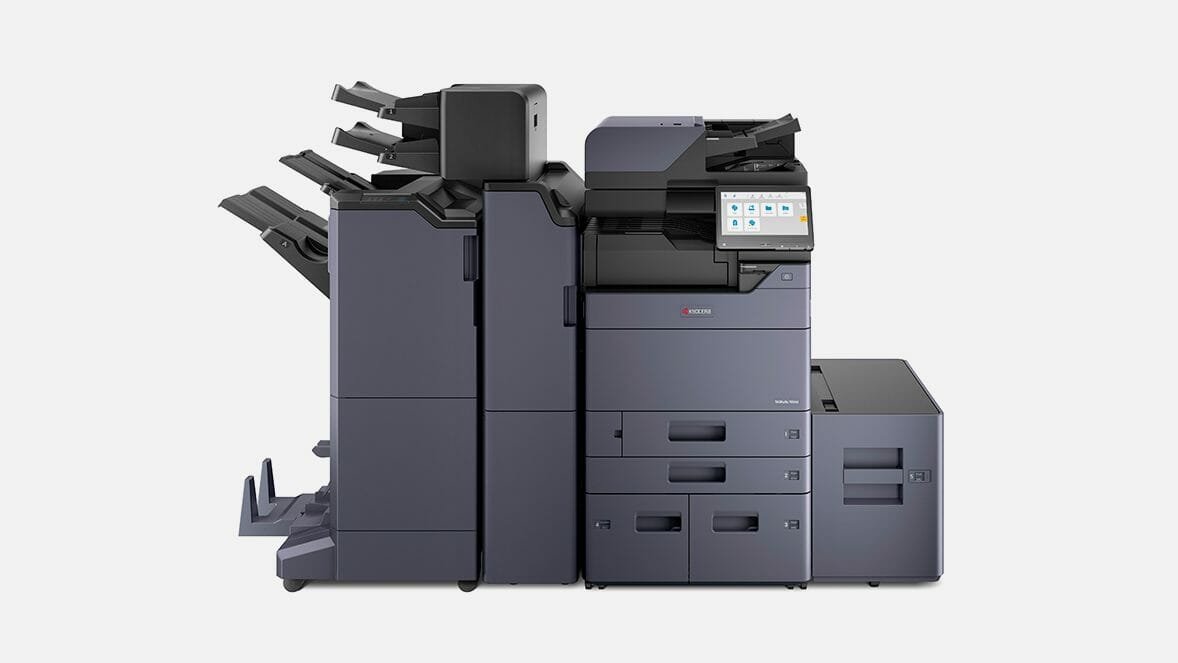
The two things that decide which copier you need
Two things decide which Kyocera copier suits your office: how many pages you print a month, and whether you need A3 as well as A4.
Check the model, not the range name.
Both the TASKalfa and ECOSYS colour multifunction lines run from A4 machines all the way up to A3, so the badge on the front tells you nothing useful about the sheet size.
Our overview of Kyocera printers for business lays the two ranges side by side.
Size the machine to your monthly page count first, then let the speed follow.
On a lease it all sits inside one figure.
The machine, toner, parts, service labour and call outs are covered from $160 a month (plus GST), and within your page allowance the only thing you add is paper.
Request a written quote for your page count or contact Global Document Solutions for a free consultation.
Kyocera copier machines to buy or lease, with toner and service included
With 16 years of leadership at Global Document Solutions, Cyrus Dickie has been leasing and servicing these copiers since 2010.
Contact us now for expert guidance and a free Kyocera copier consultation.
Long life components and the cost per page
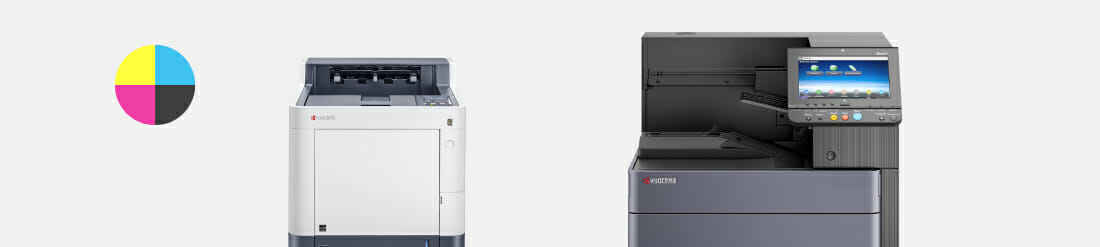
Kyocera colour copiers pair the company’s own imaging technology with long life components.
Long life components are what keeps the cost per page down across a lease term.
Kyocera copiers use LED illumination through the paper path, cutting noise and power use while keeping images crisp.
With the ability to print directly from a USB stick or scan documents into cloud storage systems like Google Drive or Dropbox, Kyocera copiers cover most of what an office needs day to day.
They can be connected to Wi-Fi and come with preprogrammed settings for commonly used functions.
Built in security features protect your organisation’s data.
Their expanded memory allows them to handle heavy load jobs, saving up to 8000 pages in their memory for future printing.
Potential Applications
They handle business cards, presentations and brochures.
Their energy efficient design suits eco friendly offices and home office setups with limited space.
Kyocera copiers consolidate copying needs, eliminating the need for separate devices.


Common questions on Kyocera copiers
Get your set monthly price
Tell us your monthly page count and we send back one written figure, from $160 a month (plus GST).
Toner, parts, servicing and call outs all sit inside it.
The only thing you ever buy on top is paper.
What is a Kyocera Copier Machine?
A: A Kyocera Copier Machine is a multifunctional printer that combines printing, scanning, copying, and faxing capabilities in one device.
The benefits of using a Kyocera Copier Machine?
A: Enhanced office efficiency, reduced need for multiple devices, and space and energy savings.
The difference between a printer and a multifunction printer (mfp)?
A: A printer can only print documents, while a multifunction printer (mfps), like a Kyocera Copier Machine, can print, scan, copy, and fax documents.
The difference between Kyocera Taskalfa and Kyocera Ecosys?
A: Taskalfa models are built for high volume work, with more features and higher speeds. Ecosys models are more energy efficient and suit lower volumes.
Is a Kyocera Printer compatible with my office network?
A: Yes, it can be connected via Ethernet or wireless connection for multiple users to print, scan, and fax.
To upgrade your office setup, consider the advantages of investing in an A3 printer that fits your business requirements.
Contact Global Document Solutions now for a free consultation.
Ready for your own number?
Tell us your monthly page count and we send back one written figure, from $160 a month (plus GST).
Toner, parts, servicing and call outs all sit inside it.
The only thing you ever buy on top is paper.


#1
Our mission is to be the first company organisations think of when they need modern print and document solutions
15 Years of Continuous Service to my business without any issues.
Cyrus is a legend!
Marvin Reck
Found Cyrus and his team to be very professional, prompt and cost effective.
Best in the business.
Highly recommended.
Matthew Dean
Have been using GDS for the supply and maintenance of our office printers for over 5 years now.
Customer service level is consistently high, with an excellent reaction and response rate.
Marina Denaro
Related Post


Why Work with Us?
With a fully trained and skilled team of experts, our team looks after each client from the first quote to the end of the lease.
Besides offering high end equipment, we also deliver exceptional service in smart financing on software and hardware, remote management and account management.
Contact Global Document Solutions to get the perfect combination of efficiency and innovation in document printing.
To buy a Kyocera printer, consult with our friendly agents today.