
 Skip to content
Kyocera TASKalfa 3554ci Scanning and Secure Storage

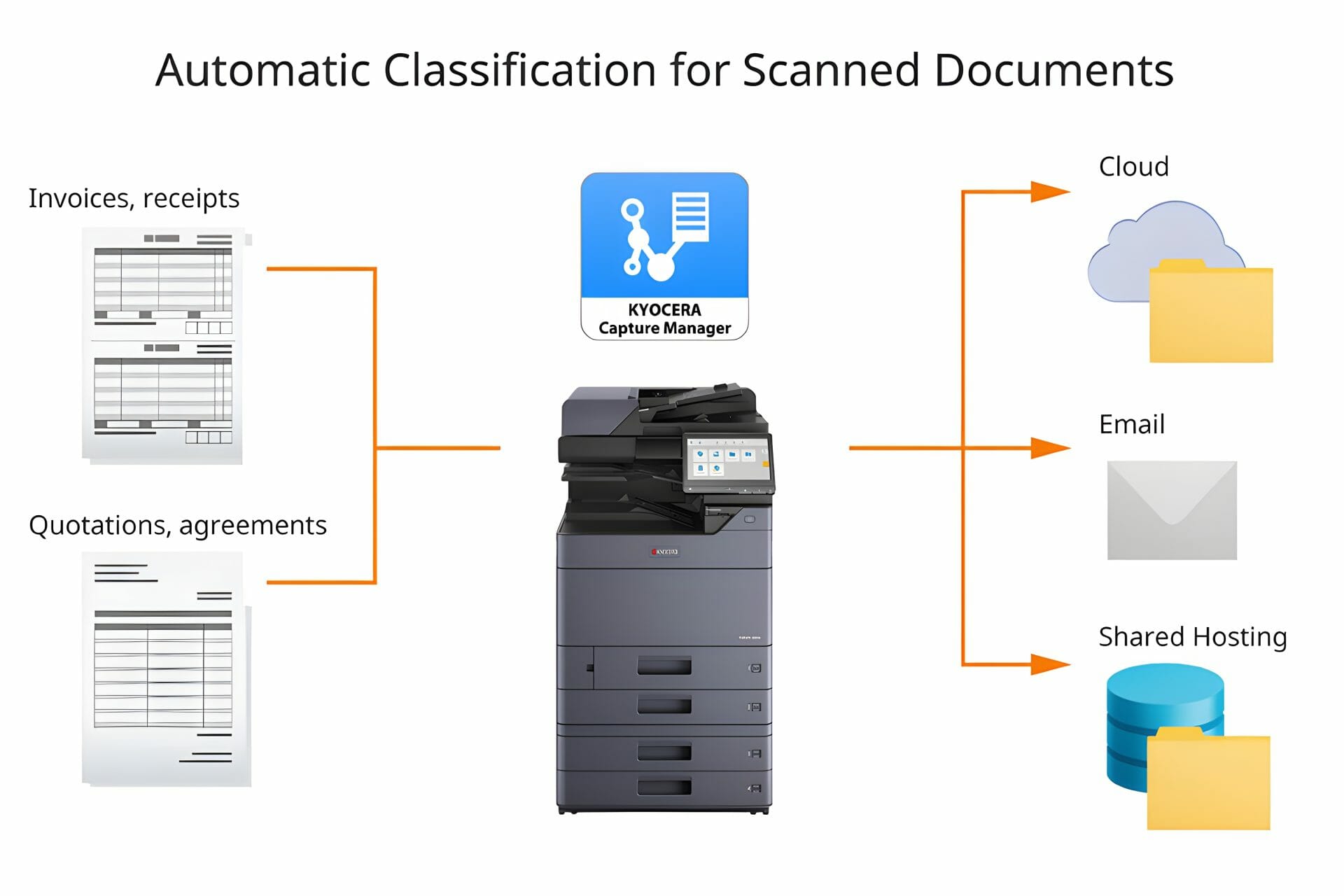
Scanning on a TASKalfa 3554ci sends a page to four places, a network folder, an email address, a USB stick or a cloud destination, and the secure part is that the job can be held behind a PIN until someone is standing at the machine.
Nothing arrives in an output tray unattended.
What the 3554ci Actually Scans To
Pick the destination once and the panel remembers it.
That is the whole setup.
The machine scans at up to 600 dpi and prints at 35 A4 pages a minute.
Where the Files Go, and Who Can Reach Them
Storage is a folder on your own network unless you point it at a cloud service, so the files stay where your own backup already covers them.
Encryption on the drive is a setting, not an extra.
Contact Global Document Solutions to enhance your productivity securely.
Cutting the manual steps out of filing
Tell us your page count and receive a written quote.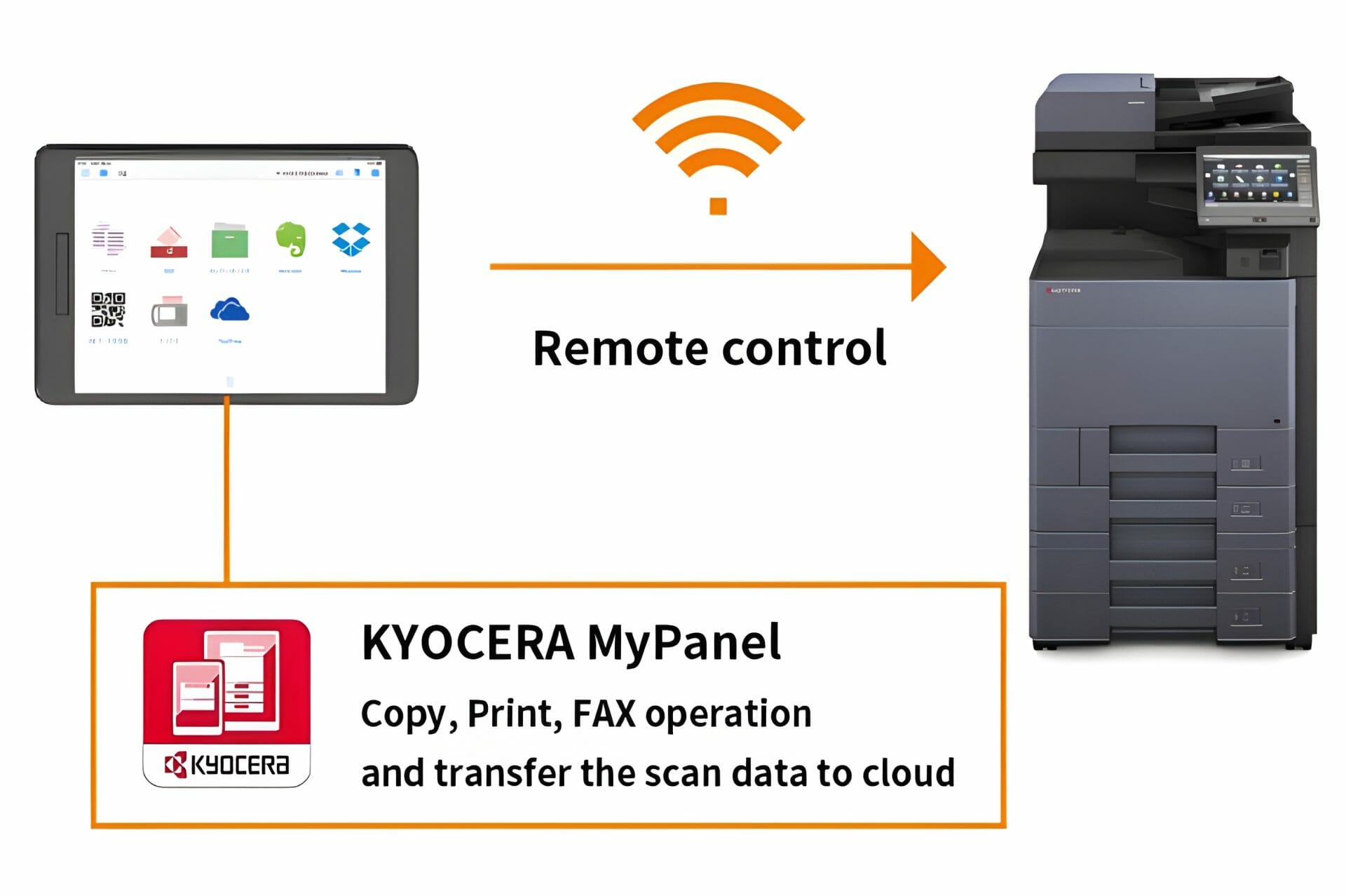
Where the 3554ci Fits
It suits an office that scans as much as it prints and wants one machine doing both.
Cyrus Dickie on configuring these machines
Cyrus Dickie is the Kyocera specialist at Global Document Solutions, with a 16 year track record in the printing industry and a focus on configuring the Taskalfa 3554ci series.
Global Document Solutions, led by Cyrus Dickie, has leased and serviced Kyocera since 2010, and the technicians are factory trained on the Taskalfa 3554ci.
Reach out to Cyrus and the team at Global Document Solutions for a personalised consultation on configuring your Taskalfa 3554ci.
What the 3554ci does on scanning
It is an all in one colour laser printer built for quality at speed.
Capture and store digital copies securely, eliminating the need for manual archiving and bulky filing cabinets.
Redesign your efficiency standards.
Get a quick printer lease quote or reach out to Global Document Solutions for tailored Kyocera solutions.
Efficiency Boost: The Kyocera Taskalfa 3554ci in Action
The panel is the part people actually touch, so it is the part worth checking before you sign.
Benefits:
- Improve document management efficiency and workflow processes.
- Large capacity paper trays along with the advanced panel of the Taskalfa 3554ci make multiple print jobs a breeze.
- Advanced security features ensure the safety of confidential documents.
None of that matters if the panel is confusing.
The Panel
The 3554ci uses a colour touch panel you can reorder, so the buttons your office presses every day sit on the first screen instead of three menus down.
Ask to see it before you sign.
Ask for a written lease quote first.


Scanning questions on the 3554ci
What is the Kyocera Taskalfa 3554ci?
A: The Taskalfa 3554ci series is a document management copier.
It handles printing, scanning, copying and colour, and it takes paper up to SRA3.
Get your set monthly price
Tell us your monthly page count and we send back one written figure, from $160 a month (plus GST).
Toner, parts, servicing and call outs all sit inside it.
The only thing you ever buy on top is paper.
What does the Taskalfa 3554ci series offer?
A: The 3554ci offers a reorderable colour touch panel, printing at 1,200 by 1,200 dpi, and scan destinations you set once and reuse.
What are the key features of the Taskalfa 3554ci Multifunction Colour Printer?
A: Some key features of the Taskalfa 3554ci include colour printing, paper handling options, and an intuitive and efficient user interface.
How does the Taskalfa 3554ci help with document management?
A: The Taskalfa 3554ci has a touch panel that is easy to find your way around.
Can I scan documents with the Taskalfa 3554ci?
A: Yes.
The Taskalfa 3554ci scans to PDF, so paper documents can be digitised.
What is the resolution of the Taskalfa 3554ci?
A: The Taskalfa 3554ci prints at up to 1200 dpi, which keeps text and images crisp.
Is the Taskalfa 3554ci an efficient copier solution?
A: Yes, the Taskalfa 3554ci is designed for efficiency, with fast printing and scanning speeds of up to 35 pages per minute.
Can I print in colour with the Taskalfa 3554ci?
A: Yes, the Taskalfa 3554ci prints in colour.
Does the Taskalfa 3554ci come with any document management features?
A: Yes, the Taskalfa 3554ci is an ideal partner offering various document management features such as secure boot, data overwrite, integrity check, and pdf capabilities.
Can I connect my mobile devices to the Taskalfa 3554ci?
A: Yes.
The Taskalfa 3554ci works with Kyocera Mobile Print, so you can print and scan from a phone or tablet.
Connect with Global Document Solutions for the Kyocera Taskalfa 3554ci
Contact us at 1300 873 460 to talk to our experts about the Kyocera Taskalfa 3554ci.
Australia: 1300 873 460 Australia: 1300 873 460
Ready for your own number?
Tell us your monthly page count and we send back one written figure, from $160 a month (plus GST).
Toner, parts, servicing and call outs all sit inside it.
The only thing you ever buy on top is paper.


#1
Our mission is to be the first company organisations think of when they need modern print and document solutions
15 Years of Continuous Service to my business without any issues.
Cyrus is a legend!
Marvin Reck
Found Cyrus and his team to be very professional, prompt and cost effective.
Best in the business.
Highly recommended.
Matthew Dean
Have been using GDS for the supply and maintenance of our office printers for over 5 years now.
Customer service level is consistently high, with an excellent reaction and response rate.
Marina Denaro
Related Post


Why Work with Us?
With a fully trained and skilled team of experts, our team looks after each client from the first quote to the end of the lease.
Besides offering high end equipment, we also deliver exceptional service in smart financing on software and hardware, remote management and account management.
Contact Global Document Solutions to get the perfect combination of efficiency and innovation in document printing.
To buy a Kyocera printer, consult with our friendly agents today.