
Kyocera TASKalfa 2554ci Preventive Maintenance Checklist
Video Testimonials
Kyocera TASKalfa 2554ci Preventive Maintenance Checklist

Preventive maintenance on a TASKalfa 2554ci runs on two clocks, a short one you keep yourself and a long one the machine keeps for you by counting pages.

The short clock is weekly.

Glass platen and slit glass wiped down, paper checked for damp or curl, and the feeder given a look before it starts double picking.

The long clock belongs to the drum, the developer unit and the fuser, which Kyocera rates by page count rather than by calendar, so a machine doing ten thousand pages a month reaches its service interval long before a machine doing two.

That is the part worth booking rather than waiting for.

Get an instant printer lease quote and take the first step towards optimised productivity.

A lease covers both, so the counter triggers the visit and nothing arrives as a separate bill.

Who runs the service team

With 16 years of leadership at Global Document Solutions, Cyrus Dickie is more than just an expert, he’s passionate about enhancing your document management experience.

Why Trust Global Document Solutions?

Expertise: Cyrus Dickie and his team master the intricacies of document management for optimal operation.

Proactive Measures: We go beyond fixing issues; we prevent them, ensuring your Kyocera Taskalfa 2554ci maintains peak performance.

Act Now for Uninterrupted Performance

Encountering hiccups with your Kyocera Taskalfa 2554ci?

Reach out to Cyrus and Global Document Solutions for expert assistance to keep your device operating smoothly.

Cleaning, and what to use

Regular cleaning is the cornerstone of optimal Kyocera Taskalfa 2554ci performance.

Keep these tips in mind:

  • Use a lint free cloth for dust, avoiding wet cloths or solvents.
  • Wipe external surfaces monthly with a damp cloth and mild detergent, avoiding water inside.
  • For tough stains, use an alcohol swab or colourless cleaner; steer clear of bleach or abrasive cleaners.

Rollers, fusers and when they are due

To ensure peak performance, replace parts like rollers or fuser units over time.

Only choose Kyocera certified parts to minimise compatibility issues.

Improper installation can void your warranty, so trust professionals for DIY replacements.

Still paying for Kyocera repairs?

Every Global Document Solutions lease puts toner, parts, on site service and call outs into one monthly figure.

A fault like this one never arrives as a bill.

Plans start at $160 a month (plus GST), with nothing to pay up front and no auto renewal.

Get my set monthly quote →

No obligation.

5.0 on Google from 150+ reviews.

Need a technician on site?

We lease and service Kyocera fleets in Brisbane, Melbourne, Perth, the Gold Coast and Sydney.

Stay Updated with Software Releases

Software updates are vital for optimal Kyocera Taskalfa 2554ci performance.

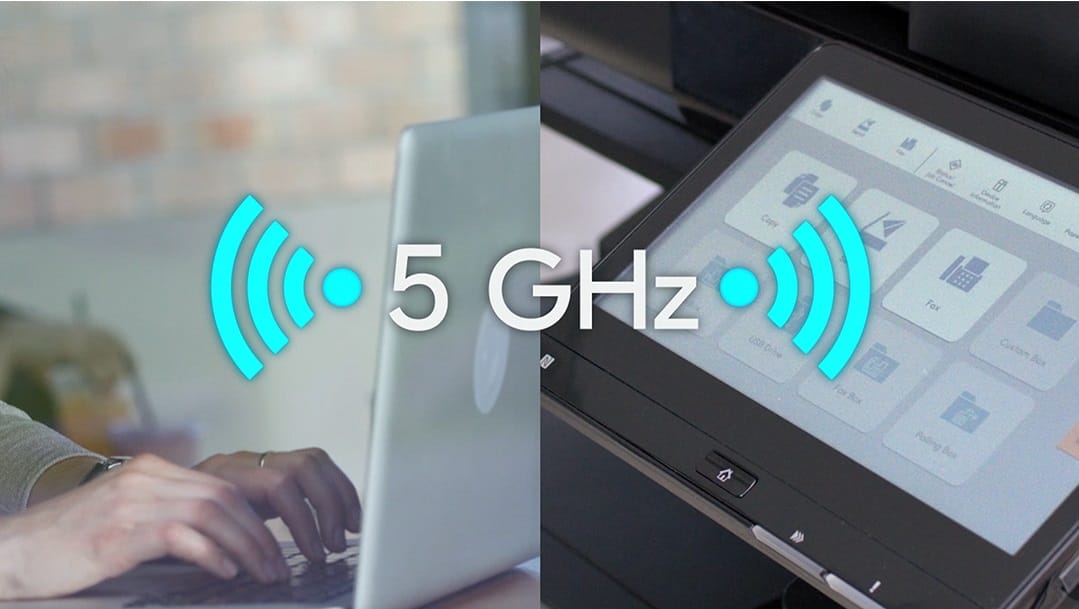
Stay current through Wi-Fi or USB, following user manual instructions or online guides for updates.
Kyocera TASKalfa 2554ci Preventive Maintenance Checklist

What preventive servicing avoids

Investing in preventive maintenance reaps numerous benefits:

  • Enhanced Uptime: Fewer breakdowns mean increased productivity.
  • Cost Efficiency: Address minor issues before they become costly problems.
  • Optimal Document Quality: Maintain your business’s professional image with high quality documents.
  • Extended Lifespan: Care for your equipment to reduce the need for frequent replacements.
  • Reliable Customer Service: Kyocera’s excellent customer service is further solidified through preventive maintenance.

Don’t Wait, Act Now for a Smoother Running Kyocera Taskalfa 2554ci

Experience improved uptime, cost efficiency, and reliable customer service.

Contact us today to schedule preventive maintenance.

Kyocera TASKalfa 2554ci Preventive Maintenance Checklist
Al N P Howe
1 week ago
Cyrus has looked after our business for multiple decades. His service, consistent consideration of our needs is impressive and I’d recommend the company without reservation.
Response from the owner:Thanks so much for taking time out of your day to leave me a review. I do appreciate your kind words. Regards Cyrus
Kyocera TASKalfa 2554ci Preventive Maintenance Checklist
Emily
2 weeks ago
Great team, and awesome customer service.
Response from the owner:Hi, Emily. Thanks so much for taking the time to write us a review.
Kyocera TASKalfa 2554ci Preventive Maintenance Checklist
Roshni Mani
2 weeks ago
Excellent service from Global Documents Services! Their response is always prompt, and their support with printers and other office needs has been fantastic. We had a few unexpected changes in our offices, and they accommodated us quickly and efficiently. Reliable, professional, and highly recommended!
Response from the owner:Thank you very much for your review Roshni. We appreciate your kind words
Kyocera TASKalfa 2554ci Preventive Maintenance Checklist
Anthony Torrens
2 months ago
I would like to express my thanks for the excellent service I received from the service technician who resolved my jammed printer. His persistence and expertise resulted in the discovery of a tiny piece of torn paper that eluded discovery for nearly 30mins. This caused the printer to constantly trigger a jam error. The cost of the service was well worth the result. Many thanks, Anthony Torrens.
Response from the owner:Hi Anthony, Thank you so much for taking the time to leave such a thoughtful review. We're delighted to hear that our technician was able to track down the tiny piece of paper causing the jam. Sometimes it's the smallest things that create the biggest headaches, and we're pleased their persistence and attention to detail got your printer back up and running. We really appreciate your kind words and your support of our business. If we can ever assist you again, please don't hesitate to get in touch.
Kyocera TASKalfa 2554ci Preventive Maintenance Checklist
Sara Taylor
2 months ago
We replaced our existing machine (also through GDS) and, as always, the process was seamless. We had our machine up and running with minimal downtime. Thanks Cyrus and team.
Response from the owner:Thanks for the stellar review, Sara.
Kyocera TASKalfa 2554ci Preventive Maintenance Checklist
Goksel Doganay
3 months ago
Absolutely blown away with the service! Thank you Cyrus.
Response from the owner:Thanks so much for taking time out of your day to leave us a review.
Kyocera TASKalfa 2554ci Preventive Maintenance Checklist
Mark Wright
3 months ago
Fantastic experience: the team is easy to deal with, with very fast response times and super fast delivery. As a business owner, I am always looking to save cost and time, and they did exactly that for our business.
Response from the owner:Thanks, Mark! We're delighted to hear you're happy with your new office printer solution. Our goal is always to provide fast service, reliable equipment and great value, so it's wonderful to hear we delivered on that promise. Regards Cyrus & The Team
Kyocera TASKalfa 2554ci Preventive Maintenance Checklist
Quick Tax
5 months ago
Great experience with Global Document Solutions. The team was responsive easy to deal with, and the whole process was smooth from start to finish. Highly recommend!
Response from the owner:Thank you so much for the kind words — we really appreciate it! I’m glad to hear the process felt smooth from start to finish and that the team was easy to deal with. That’s exactly the experience we aim to deliver. Thanks again for your support and recommendation — it means a lot to us. Kind regards, Cyrus & the Global Document Solutions team
Kyocera TASKalfa 2554ci Preventive Maintenance Checklist
Alana McDermaid
5 months ago
We’ve had a great experience with this team. They’re always prompt, helpful and really easy to deal with. Any issues are sorted quickly and the whole printer leasing process has been seamless. Highly recommend.
Response from the owner:Thank you so much for your kind words Alana — we really appreciate it! I’m glad to hear everything has been running smoothly and that the team has been prompt and easy to deal with. We always aim to make the whole process as seamless as possible and resolve any issues quickly. Thanks again for your support and recommendation — it means a lot to us. Kind regards, Cyrus & the Global Document Solutions team

Maintenance questions we get asked

What is 2554ci Preventive Maintenance?

A: 2554ci Preventive Maintenance is a service offered by Kyocera to ensure optimal performance and reliability of the Taskalfa printer.

It involves regular maintenance tasks to prevent breakdowns and minimise downtime.

Why is preventive maintenance important for the 2554ci printer?

A: Preventive maintenance is important for the 2554ci printer because it helps to keep it in good working condition and prevent issues before they occur.

This can help reduce downtime, increase productivity, and prolong the life of the printer.

Get your set monthly price

Tell us your monthly page count and we send back one written figure, from $160 a month (plus GST).

Toner, parts, servicing and call outs all sit inside it.

The only thing you ever buy on top is paper.

    We only use your details to prepare and follow up your quote.

    They are never sold or shared for marketing.

    Read our privacy policy.


    Obligation free quote

    No lock in contracts

    $0 upfront, one all inclusive monthly payment

    5.0 on Google

    Leasing printers to Australian businesses since 2010

    How can the 2554ci Preventive Maintenance service reduce downtime?

    A: The 2554ci preventive maintenance service includes regular inspections, cleaning, and adjustments, which can help identify and resolve potential issues before they cause a complete breakdown.

    This helps to reduce unexpected downtime and ensures that the printer is always ready for use.

    Can I lease the 2554ci printer with the Preventive Maintenance service?

    A: Yes, you can lease the 2554ci printer with the preventive maintenance service.

    This allows you to enjoy the benefits of the service without having to purchase the printer outright.

    Leasing can be a cost effective option for businesses looking to manage their expenses.

    What does the 2554ci Preventive Maintenance service guarantee?

    A: The 2554ci preventive maintenance service means the printer will be regularly serviced and maintained by a Kyocera expert.

    This ensures that the printer operates at its best performance and reduces the chance of unexpected breakdowns.

    How often should I schedule preventive maintenance for the 2554ci printer?

    A: It is recommended to schedule preventive maintenance for the 2554ci printer at least once every six months.

    However, the frequency may vary depending on the usage and environment in which the printer is being used.

    Contact us at Global Document Solutions, our Kyocera experts can provide a tailored maintenance schedule based on your specific needs.

    Can the Preventive Maintenance service be performed remotely?

    A: No, the preventive maintenance service for the 2554ci printer is performed onsite by a Kyocera expert.

    This allows for a thorough inspection and servicing of the printer to ensure optimal performance.

    What if I have a new office and need the 2554ci printer installed?

    A: If you have a new office and need the 2554ci printer installed, you can request installation services from Global Document Solutions.

    They will ensure that the printer is properly installed and configured to meet your specific needs.

    Can the Preventive Maintenance service be combined with other Kyocera services?

    A: Yes, the preventive maintenance service can be combined with other Kyocera services, such as Kyocera Fleet Services and Managed Print Services.

    This provides a comprehensive solution for managing your office equipment and maximising productivity.

    How can I request a preventive maintenance service for the 2554ci printer?

    A: You can request a preventive maintenance service for the 2554ci printer by contacting Global Document Solutions.

    They will guide you through the process and ensure that your printing machine receives the necessary maintenance and support.

    The routine, week by week and by page count

    Maintaining the optimal performance of your Kyocera Taskalfa 2554ci is straightforward with proper care.

    Regular cleaning, timely part replacements, and staying updated with the latest software releases ensure peak efficiency.

    When something does go wrong, our guide to diagnosing common Kyocera problems walks you through the most frequent error codes and hardware faults.

    For a comprehensive guide tailored to your office copier needs, contact Global Document Solutions today.

    Don’t compromise on performance, Contact us now for a customised preventive maintenance plan.

    Ready for your own number?

    Tell us your monthly page count and we send back one written figure, from $160 a month (plus GST).

    Toner, parts, servicing and call outs all sit inside it.

    The only thing you ever buy on top is paper.

      We only use your details to prepare and follow up your quote.

      They are never sold or shared for marketing.

      Read our privacy policy.


      Obligation free quote

      No lock in contracts

      $0 upfront, one all inclusive monthly payment

      5.0 on Google

      Leasing printers to Australian businesses since 2010

      Kyocera TASKalfa 2554ci Preventive Maintenance Checklist

      Author : Cyrus Dickie

      Cyrus Dickie has run Global Document Solutions since 2010.

      He still quotes most jobs himself.

      He is the person you ring when a machine stops.

      The business leases Kyocera, HP, Toshiba and OKI machines to Australian offices, and has been an authorised Kyocera partner since 2010.

      15 Years of Continuous Service to my business without any issues.

      Cyrus is a legend!

      Marvin Reck

      Found Cyrus and his team to be very professional, prompt and cost effective.

      Best in the business.

      Highly recommended.

      Matthew Dean

      Have been using GDS for the supply and maintenance of our office printers for over 5 years now.

      Customer service level is consistently high, with an excellent reaction and response rate.

      Marina Denaro

      Why Work with Us?

      With a fully trained and skilled team of experts, our company provides only the best qualities for our clients.

      Besides offering high end equipment, we also deliver exceptional service in smart financing on software and hardware, remote management and account management.

      Contact Global Document Solutions to get the perfect combination of efficiency and innovation in document printing.

      To buy a Kyocera printer, consult with our friendly agents today.

      Kyocera TASKalfa 2554ci Preventive Maintenance Checklist
      Al N P Howe
      1 week ago
      Cyrus has looked after our business for multiple decades. His service, consistent consideration of our needs is impressive and I’d recommend the company without reservation.
      Response from the owner:Thanks so much for taking time out of your day to leave me a review. I do appreciate your kind words. Regards Cyrus
      Kyocera TASKalfa 2554ci Preventive Maintenance Checklist
      Emily
      2 weeks ago
      Great team, and awesome customer service.
      Response from the owner:Hi, Emily. Thanks so much for taking the time to write us a review.
      Kyocera TASKalfa 2554ci Preventive Maintenance Checklist
      Roshni Mani
      2 weeks ago
      Excellent service from Global Documents Services! Their response is always prompt, and their support with printers and other office needs has been fantastic. We had a few unexpected changes in our offices, and they accommodated us quickly and efficiently. Reliable, professional, and highly recommended!
      Response from the owner:Thank you very much for your review Roshni. We appreciate your kind words
      Kyocera TASKalfa 2554ci Preventive Maintenance Checklist
      Anthony Torrens
      2 months ago
      I would like to express my thanks for the excellent service I received from the service technician who resolved my jammed printer. His persistence and expertise resulted in the discovery of a tiny piece of torn paper that eluded discovery for nearly 30mins. This caused the printer to constantly trigger a jam error. The cost of the service was well worth the result. Many thanks, Anthony Torrens.
      Response from the owner:Hi Anthony, Thank you so much for taking the time to leave such a thoughtful review. We're delighted to hear that our technician was able to track down the tiny piece of paper causing the jam. Sometimes it's the smallest things that create the biggest headaches, and we're pleased their persistence and attention to detail got your printer back up and running. We really appreciate your kind words and your support of our business. If we can ever assist you again, please don't hesitate to get in touch.
      Kyocera TASKalfa 2554ci Preventive Maintenance Checklist
      Sara Taylor
      2 months ago
      We replaced our existing machine (also through GDS) and, as always, the process was seamless. We had our machine up and running with minimal downtime. Thanks Cyrus and team.
      Response from the owner:Thanks for the stellar review, Sara.
      Kyocera TASKalfa 2554ci Preventive Maintenance Checklist
      Goksel Doganay
      3 months ago
      Absolutely blown away with the service! Thank you Cyrus.
      Response from the owner:Thanks so much for taking time out of your day to leave us a review.
      Kyocera TASKalfa 2554ci Preventive Maintenance Checklist
      Mark Wright
      3 months ago
      Fantastic experience: the team is easy to deal with, with very fast response times and super fast delivery. As a business owner, I am always looking to save cost and time, and they did exactly that for our business.
      Response from the owner:Thanks, Mark! We're delighted to hear you're happy with your new office printer solution. Our goal is always to provide fast service, reliable equipment and great value, so it's wonderful to hear we delivered on that promise. Regards Cyrus & The Team
      Kyocera TASKalfa 2554ci Preventive Maintenance Checklist
      Quick Tax
      5 months ago
      Great experience with Global Document Solutions. The team was responsive easy to deal with, and the whole process was smooth from start to finish. Highly recommend!
      Response from the owner:Thank you so much for the kind words — we really appreciate it! I’m glad to hear the process felt smooth from start to finish and that the team was easy to deal with. That’s exactly the experience we aim to deliver. Thanks again for your support and recommendation — it means a lot to us. Kind regards, Cyrus & the Global Document Solutions team
      Kyocera TASKalfa 2554ci Preventive Maintenance Checklist
      Alana McDermaid
      5 months ago
      We’ve had a great experience with this team. They’re always prompt, helpful and really easy to deal with. Any issues are sorted quickly and the whole printer leasing process has been seamless. Highly recommend.
      Response from the owner:Thank you so much for your kind words Alana — we really appreciate it! I’m glad to hear everything has been running smoothly and that the team has been prompt and easy to deal with. We always aim to make the whole process as seamless as possible and resolve any issues quickly. Thanks again for your support and recommendation — it means a lot to us. Kind regards, Cyrus & the Global Document Solutions team