
 Skip to content
Kyocera TASKalfa 2554ci Network, Mobile and Cloud Setup

What to Connect First
Connecting a TASKalfa 2554ci comes down to three jobs, giving it a fixed address on your network, installing the driver from that address, and pointing phones at it over AirPrint, Mopria or the Kyocera app.
Do them in that order.
The machine will take a DHCP address on its own, but a printer that changes address breaks every driver on every desk, so set a static IP or a DHCP reservation before you install anything.
This page sets out the network, driver and mobile steps in the order they actually need doing, and the productivity guide covers what to do once it is connected.
Reading the address back and installing the driver
Print the status page from the panel to read the address back, or check the 2554ci specifications.
The driver then installs against that address rather than against a name that may not resolve.
Phones are the easy part and need no driver at all.
Setup questions go to the install team
Setup questions go to the same team that installs these machines, which has done so since 2010.
Every technician on the team is Kyocera factory trained.
Connect with Cyrus and the dedicated team at Global Document Solutions today.
Use the Kyocera Taskalfa 2554ci manual for anything this page does not cover.
The settings below come from Kyocera’s own documentation, and the reason those settings are what they are goes back to decades of Kyocera’s industry expertise in document solutions.
Connecting a computer, then a phone
Access from your computer
Connect a Windows or Mac computer directly by USB without installing additional software, or over WiFi or Ethernet.
Prefer wireless?
You can also print directly from your smartphone or tablet using our guide to connecting mobile devices to your Kyocera.
Request a quote for a network ready Kyocera.
Access from Mobile Devices
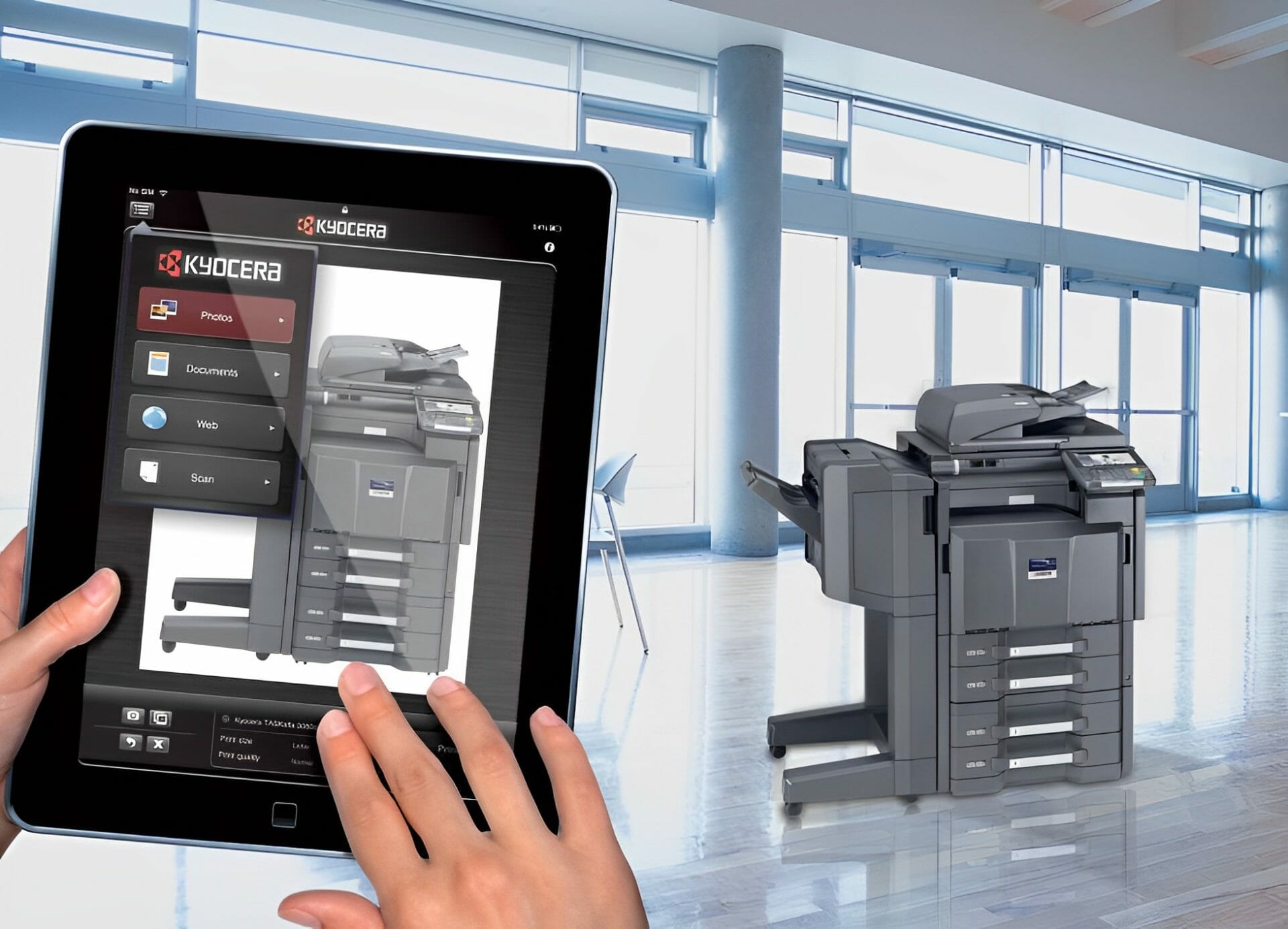
Download the free app for Android and iOS devices to access your documents from anywhere.
Installing the driver on each computer
If you opt not to use the USB option mentioned above, install a driver on each computer for 2554ci usage.
The process is simple, though time consuming based on the number of computers.
It’s worth the time for full hardware feature access.
Google Drive and OneDrive
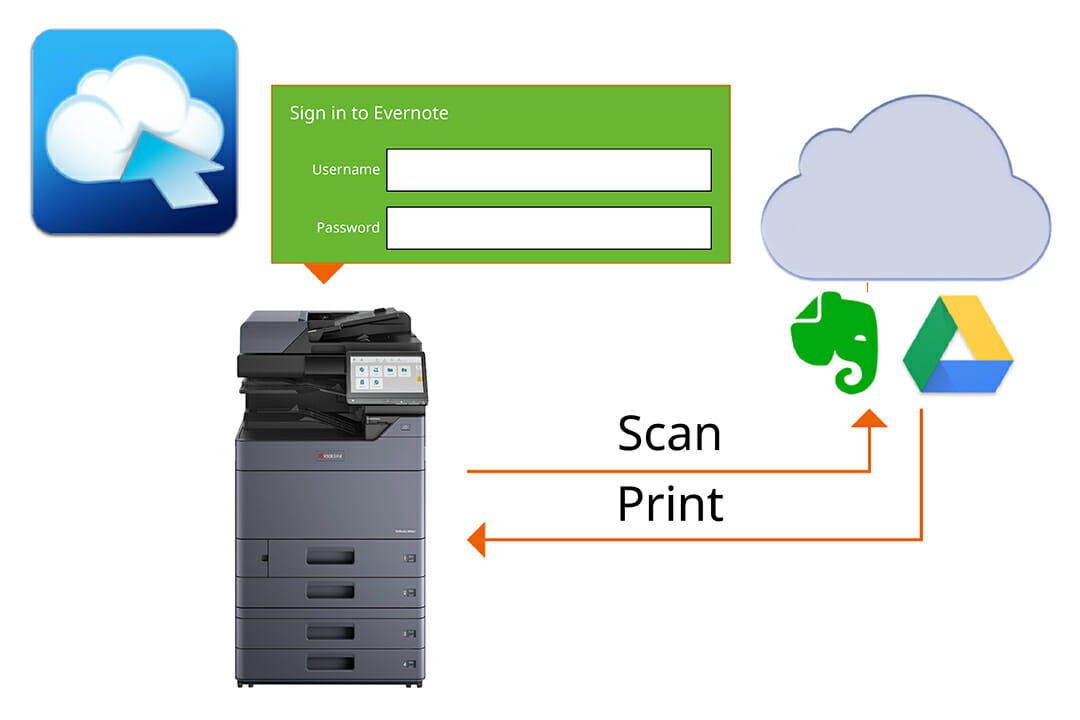
Integrate cloud services like Google Drive and Microsoft OneDrive into the device interface for smooth file transfer, all without leaving your printer.
It delivers resolutions up to 300 DPI.
Sharing one address book across the office
The Kyocera Taskalfa 2554ci lets you share address books between connected users.
Group mailing lists can be set up in the device’s menu.
You can directly print pages A4 size from the address book using the Kyocera mobile print app.
Enhance your office connectivity, get started now.
What the 2554ci gives you once it is connected
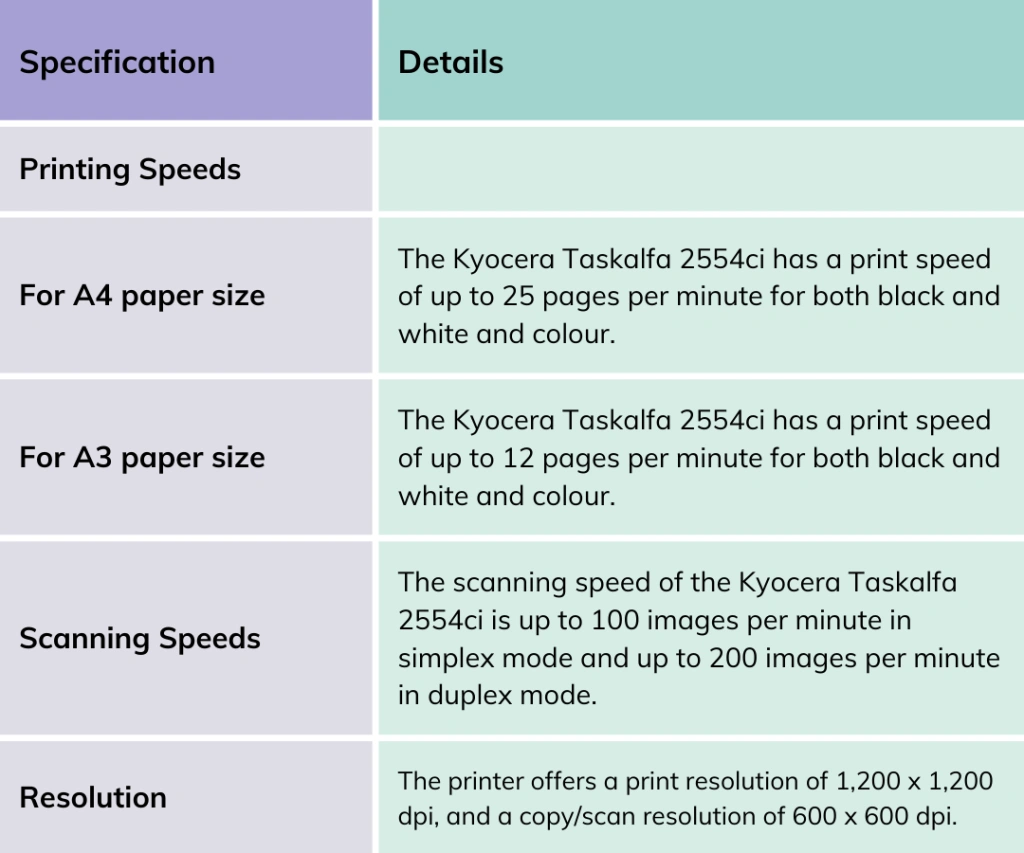
It prints at speeds up to 25 pages per minute and integrates with various software, mobile devices and cloud services.
Australia: 1300 873 460


Where the operation guide helps
The Kyocera Taskalfa 2554ci has an operation guide that is easy to follow.
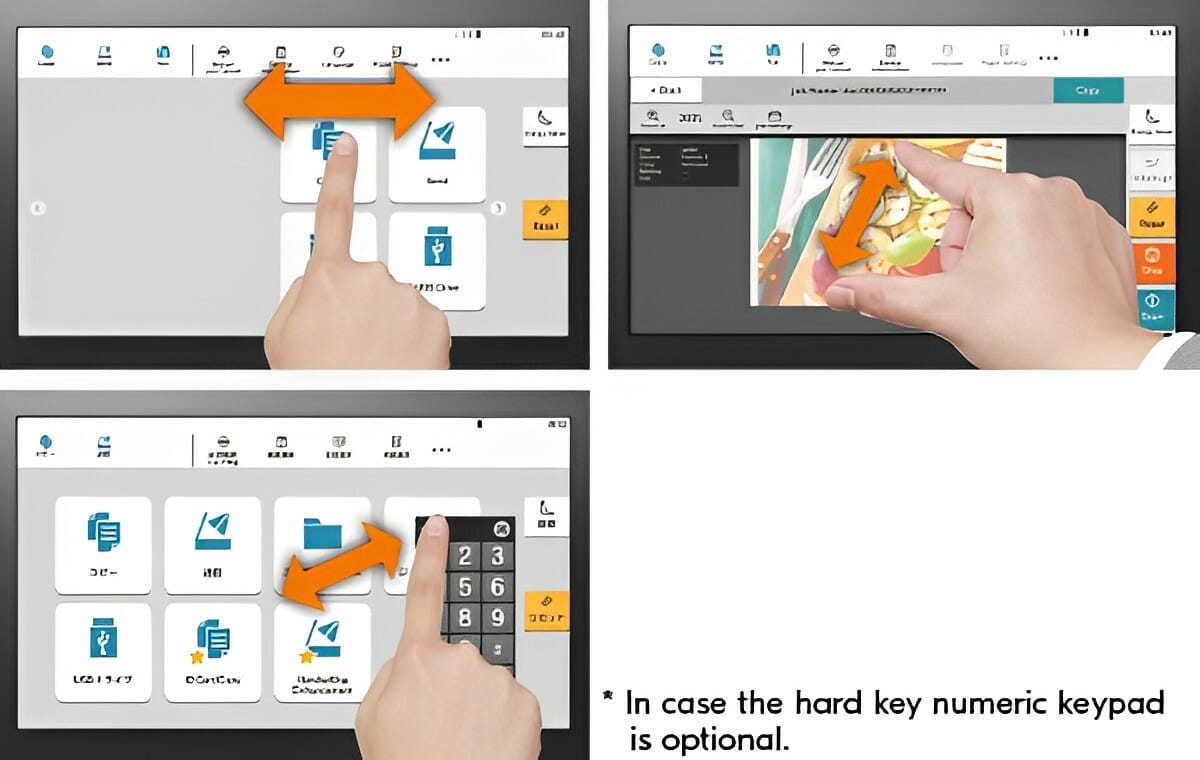
Look at the features of the operation panel and touch panel to navigate the printer’s functions.
Printing straight off a USB stick
Its advanced USB interface allows direct printing from any Windows or Mac computer without driver installation.
Download the Kyocera mobile print app, a free app for Android and iOS devices for easy printing or scanning from anywhere in your network.
This setup lets you instantly select files from Google Drive or Microsoft OneDrive for printing, scanning, or faxing without leaving the printer.
PDF direct print, image repeat and compression
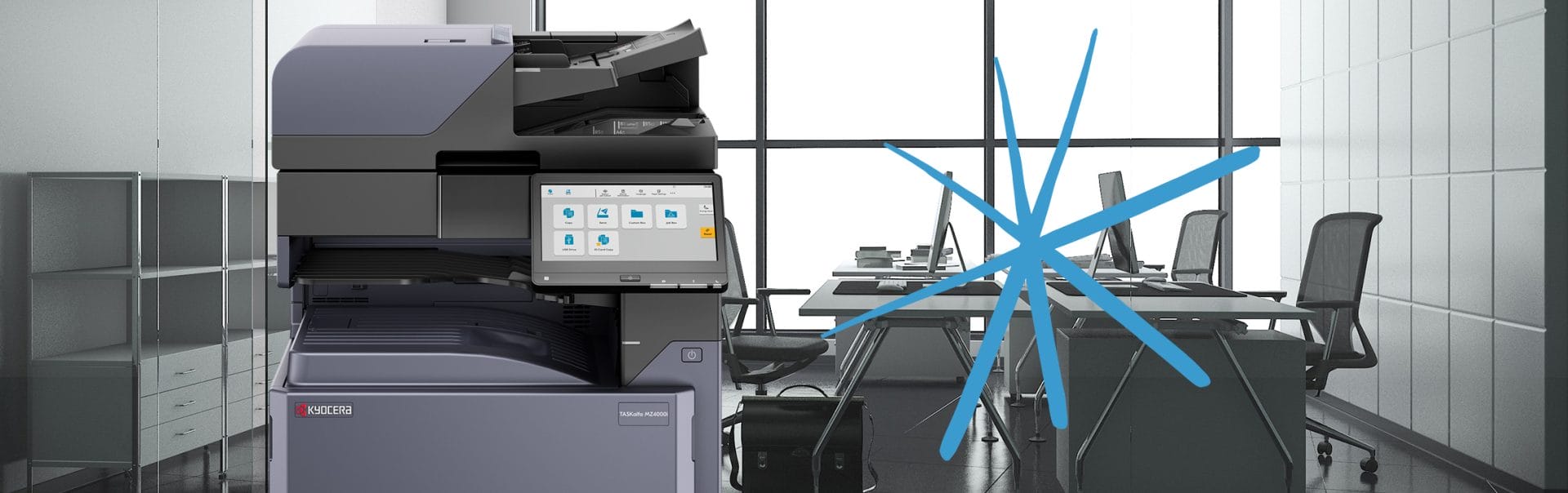
The Kyocera Taskalfa 2554ci offers advanced printing features like PDF direct print, image repeat, and high compression PDF.
Print PDF files directly from a USB drive, repeat images on a single page, and compress PDFs for efficient printing.
With Kyocera, you can even create searchable pdf files.
What this Kyocera costs to lease
Leasing this machine through Global Document Solutions is one set monthly payment.
It covers toner, parts, on site service and call outs, so within your page allowance paper is the only thing you add.
Plans start at $160 a month (plus GST), with nothing to pay up front and no auto renewal.
No obligation.
5.0 on Google from 150+ reviews.
Need a technician on site?
You will find the same Kyocera agreement behind a Brisbane business printer lease, Melbourne printer rental plans, renting a photocopier in Perth, leasing a copier on the Gold Coast and multifunction rental across Sydney.
The paper cassette and the security options
Key Features:
The Keypoint Intelligence awards, and what they measured
Among office printers, the Kyocera Taskalfa 2554ci won a 2021 Pick award from Keypoint Intelligence as an outstanding 25 page a minute A3 colour machine.
Recognised for reliability, ease of use and print quality.
Speed and resolution, the published numbers
It handles 2 x 500 sheets and the ‘banner max’ print size.
Enhance your office security with the Kyocera 2554ci’s secure printing features for confidential document handling.
Get your set monthly price
Tell us your monthly page count and we send back one written figure, from $160 a month (plus GST).
Toner, parts, servicing and call outs all sit inside it.
The only thing you ever buy on top is paper.
Paper sizes and tray capacity
The Kyocera Taskalfa 2554ci has versatile paper handling capabilities:
Australia: 1300 873 460 Australia: 1300 873 460
Setup questions we get asked
What is the Kyocera 2554ci Integration Guide?
A: The Kyocera 2554ci integration guide is a comprehensive manual that provides instructions on how to optimise your workflow using the Kyocera 2554ci printer.
How do I scan using the Kyocera 2554ci?
A: To scan using the Kyocera 2554ci, follow the instructions provided in the scan section of the operation guide.
Can I send a fax with the Kyocera 2554ci?
A: Yes, the Kyocera 2554ci supports fax functionality.
What is a printer driver?
A: A printer driver is a software application that allows your computer to communicate with your printer.
Kyocera’s standard universal paper cassette enables you to control print settings and manage print jobs.
Where can I find the Kyocera Taskalfa 3554ci user manual?
A: The Taskalfa 3554ci user manual can be found on the Kyocera Document Solutions official website.
How do I print encrypted PDF files with the Kyocera 2554ci?
A: The Kyocera 2554ci supports printing encrypted PDF files.
You will need to enter the correct password to unlock and print the file.
What operating systems does the Kyocera 2554ci support?
The Kyocera Taskalfa 2554ci supports various operating systems, including: Windows, MAC OS X Version 10.9 or higher, Unix , Linux, as well as other operating systems.
What is TWAIN?
A: TWAIN is a software protocol that allows communication between imaging devices such as scanners and software applications.
It enables scanning and image acquisition.
A Twain driver enables users to start scans directly from TWAIN compatible software.
What is DPI?
A: DPI stands for dots per inch and refers to the resolution of a printed image or the scanning capability of a device.
A higher DPI indicates a higher level of detail.
How do I use the private print feature on the Kyocera 2554ci?
A: To use the private print feature on the Kyocera 2554ci, follow the instructions provided in the operation guide.
How do I skip blank pages when making a copy on the Kyocera 2554ci?
A: The Kyocera 2554ci has a feature that allows you to skip blank pages when making copies.
Refer to the operation guide for instructions on how to enable this feature.
If print quality slips
For comprehensive guidance on 2554ci troubleshooting print quality, explore our expert tips and solutions.
Training your team on the machine
Our interactive workshops, led by industry experts, cover advanced printing techniques and maximising security features.
Contact Global Document Solutions about the Kyocera Taskalfa 2554ci
Contact Global Document Solutions Now.
Related: how managed print works across multiple offices, where setting up one device becomes a rollout across every site.
Ready for your own number?
Tell us your monthly page count and we send back one written figure, from $160 a month (plus GST).
Toner, parts, servicing and call outs all sit inside it.
The only thing you ever buy on top is paper.


#1
Our mission is to be the first company organisations think of when they need modern print and document solutions
15 Years of Continuous Service to my business without any issues.
Cyrus is a legend!
Marvin Reck
Found Cyrus and his team to be very professional, prompt and cost effective.
Best in the business.
Highly recommended.
Matthew Dean
Have been using GDS for the supply and maintenance of our office printers for over 5 years now.
Customer service level is consistently high, with an excellent reaction and response rate.
Marina Denaro
Related Post


Why Work with Us?
With a fully trained and skilled team of experts, our team looks after each client from the first quote to the end of the lease.
Besides offering high end equipment, we also deliver exceptional service in smart financing on software and hardware, remote management and account management.
Contact Global Document Solutions to get the perfect combination of efficiency and innovation in document printing.
To buy a Kyocera printer, consult with our friendly agents today.